Creator Partner Program Partner Tier: What It Gives and How to Apply
 by Aristotto4 min
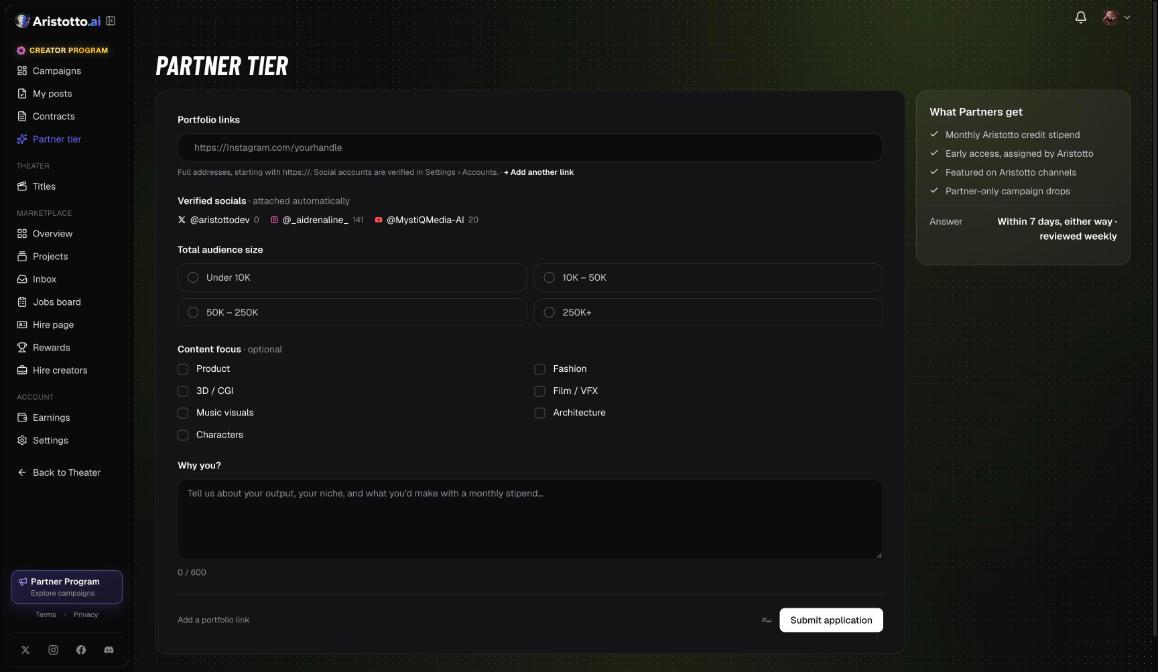
The Partner tier is a level of the Aristotto Creator Partner Program that you apply for with its own form, Partner tier in the Creator app. Partners get a monthly Aristotto credit stipend, early access assigned by Aristotto, a feature on Aristotto channels and Partner-only campaign drops. Applications are reviewed weekly and you get an answer within 7 days.
What Partners get
A monthly credit stipend. Partners get a monthly stipend of Aristotto credits.
Early access. Aristotto assigns early access to Partners.
A feature on Aristotto channels. Partners are featured on Aristotto channels.
Partner-only campaign drops. Some campaigns are for Partners only.
The Partner Creator mark. Your profile shows Partner Creator instead of the Creator mark.
80% in Theater. Theater creators keep 70% of every credit unlock. Partners keep 80%. Theater is open by invite only today.
How Partner-only campaigns work
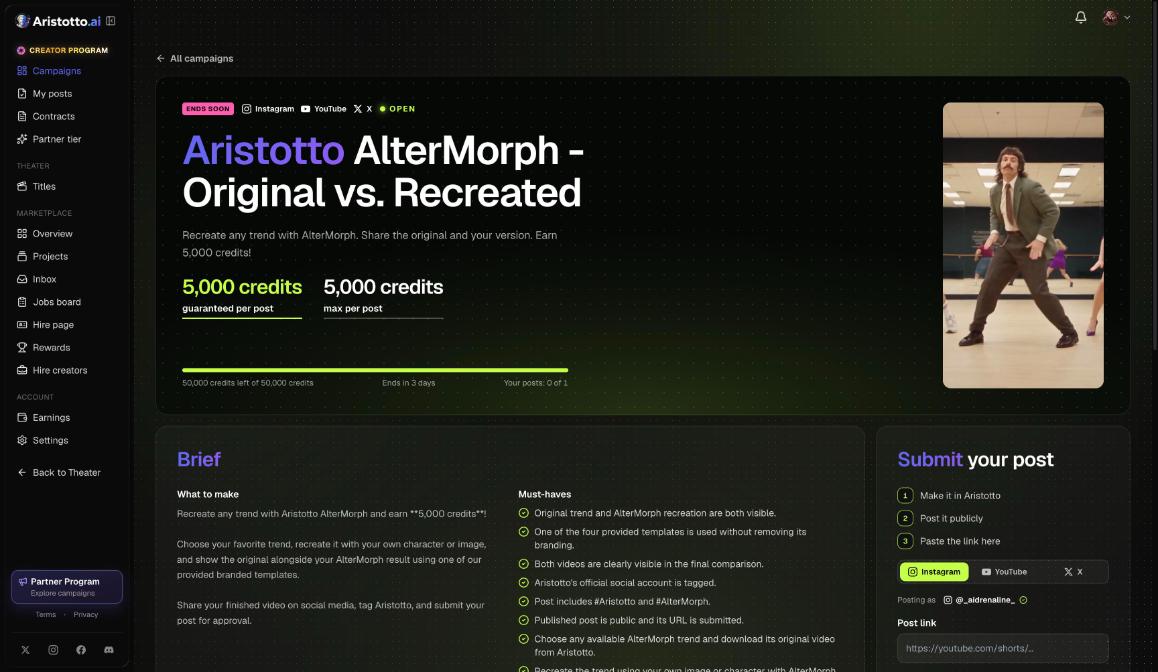
Each campaign card in the Creator app lists its platforms, the guaranteed amount per post, the maximum, the credits left and the end date. When you submit a post, a campaign can hold you back for four reasons: you reached the per-creator post count, the pool is used up, the campaign is Partner-only, or it is not open yet. Partner-only campaign drops are one of the things you get as a Partner.
What to prepare before you apply
Have these ready before you open the form:
Portfolio links. Links to your work.
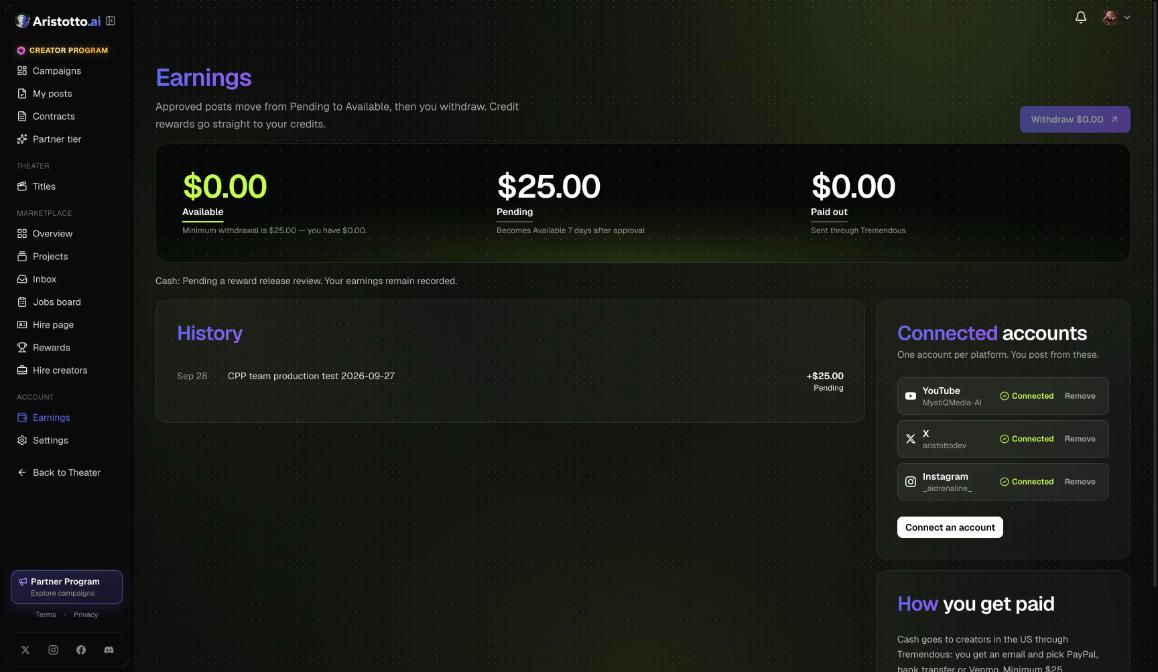
Your connected accounts. Verified socials are attached to the form automatically. You connect one account per platform (Instagram, YouTube or X) with Connect an account in the Creator app.
Your total audience size. The form asks for one total, picked from four bands.
A short answer to Why you? You have up to 600 characters.
How to apply
Sign in to the Creator app at creator.aristotto.ai with your Aristotto account. It has its own sign-in, so a web sign-in does not carry over.
Open Partner tier.
Add your Portfolio links.
Check Verified socials. They are attached automatically, so there is nothing to type.
Pick your Total audience size: Under 10K, 10K to 50K, 50K to 250K, or 250K+.
Pick a Content focus if you want one. It is optional. The choices are Product, 3D or CGI, Music visuals, Characters, Fashion, Film or VFX, and Architecture.
Write your answer to Why you? in up to 600 characters.
Press Submit application.
What happens after you apply
| Step | What happens |
|---|---|
| Review | Applications are reviewed weekly. |
| Answer | You hear back within 7 days. |
| Approved | You become a Partner and your profile shows Partner Creator. |
| Rejected | You wait 30 days before you can apply again. |
Creator Program notifications cover submissions, rewards, payments and Partner. They are always on. You can see them listed in Settings, Notifications.
The Partner Creator mark
Creator Program members show a Creator mark on their profile. Partners show Partner Creator. Everyone sees the mark, signed in or not.
Questions
Can I apply with a small audience?
Yes. The smallest Total audience size you can pick is Under 10K. The form also asks for your portfolio links and your answer to Why you?.
How long does it take to hear back?
Applications are reviewed weekly, and you get an answer within 7 days.
What happens if my application is rejected?
You wait 30 days, then you can apply again from Partner tier.
Do I have to choose a content focus?
No. Content focus is optional. Pick one if your work fits Product, 3D or CGI, Music visuals, Characters, Fashion, Film or VFX, or Architecture.
What changes for me in Theater as a Partner?
You keep 80% of every credit unlock on your titles instead of 70%. Theater is open by invite only today, so this applies once your account is invited.