How Aristotto Credits Work: Prices, Refunds and Cancelling
 by Aristotto3 min
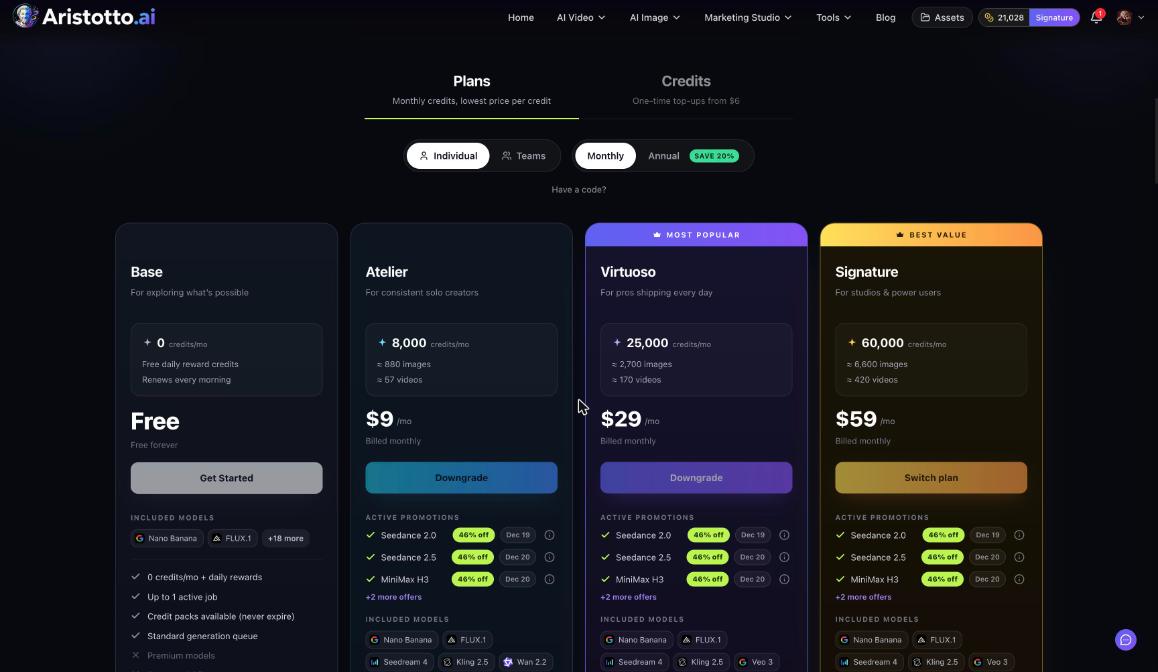
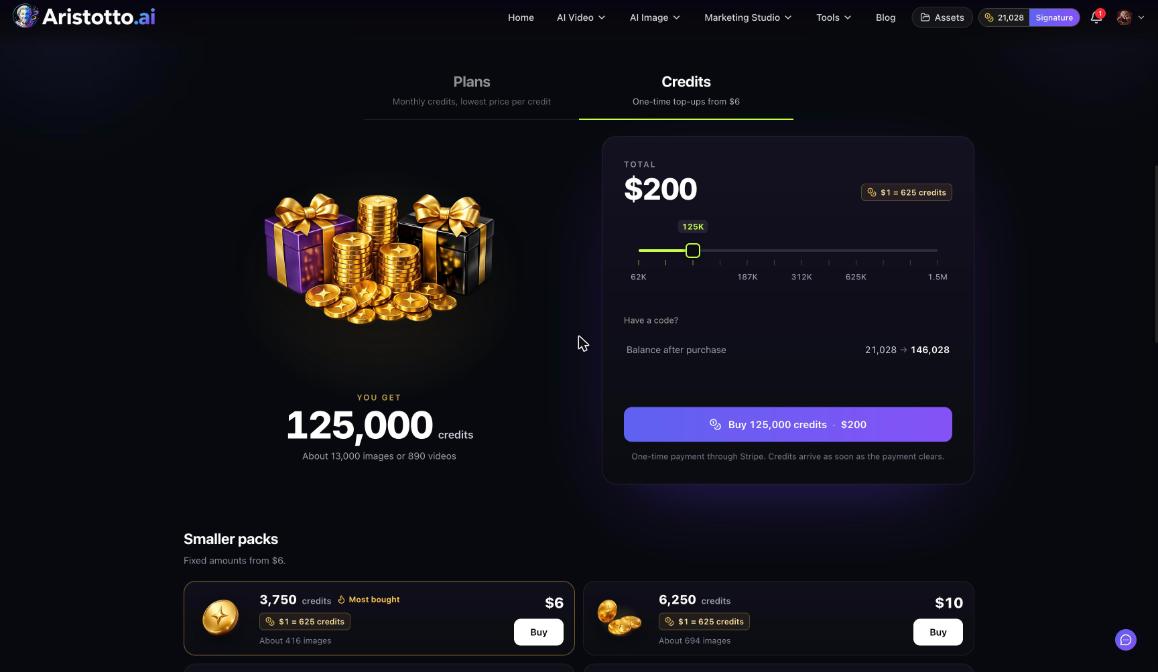
You pay for everything you make on Aristotto in credits, and each run shows its price on the Generate button before you press it. Plan credits are spent first and reset every billing month. Credits you buy never expire. Failed runs are refunded automatically, and you can cancel a run only while it is still queued.
How a run is priced
The price of a run depends on five things:
the model
the length
the resolution
the quality
how many results you ask for
The Generate button shows the price for the settings you have chosen. Change a setting, check the button again, then press Generate.
Other places show the price first too:
Workflows: each node shows its price before it runs.
Agent (Tuko): Tuko shows the price and asks before spending a credit. Chat is free.
AI Tools: the price is on the button. For example, Edit with Words on Nano Banana 2.1 shows Edit image for 50 credits.
Claude, ChatGPT and other MCP clients: you approve each price in the chat.
Subscribers also get live model offers, applied automatically at Generate with no code.
Which credits are spent first
Plan credits.
Purchased credits, oldest first.
| Credit type | When it is used | When it expires |
|---|---|---|
| Plan credits | First | Resets every billing month, no rollover |
| Purchased credits | After plan credits, oldest first | Never, including after you cancel a plan |
Refunds for failed runs
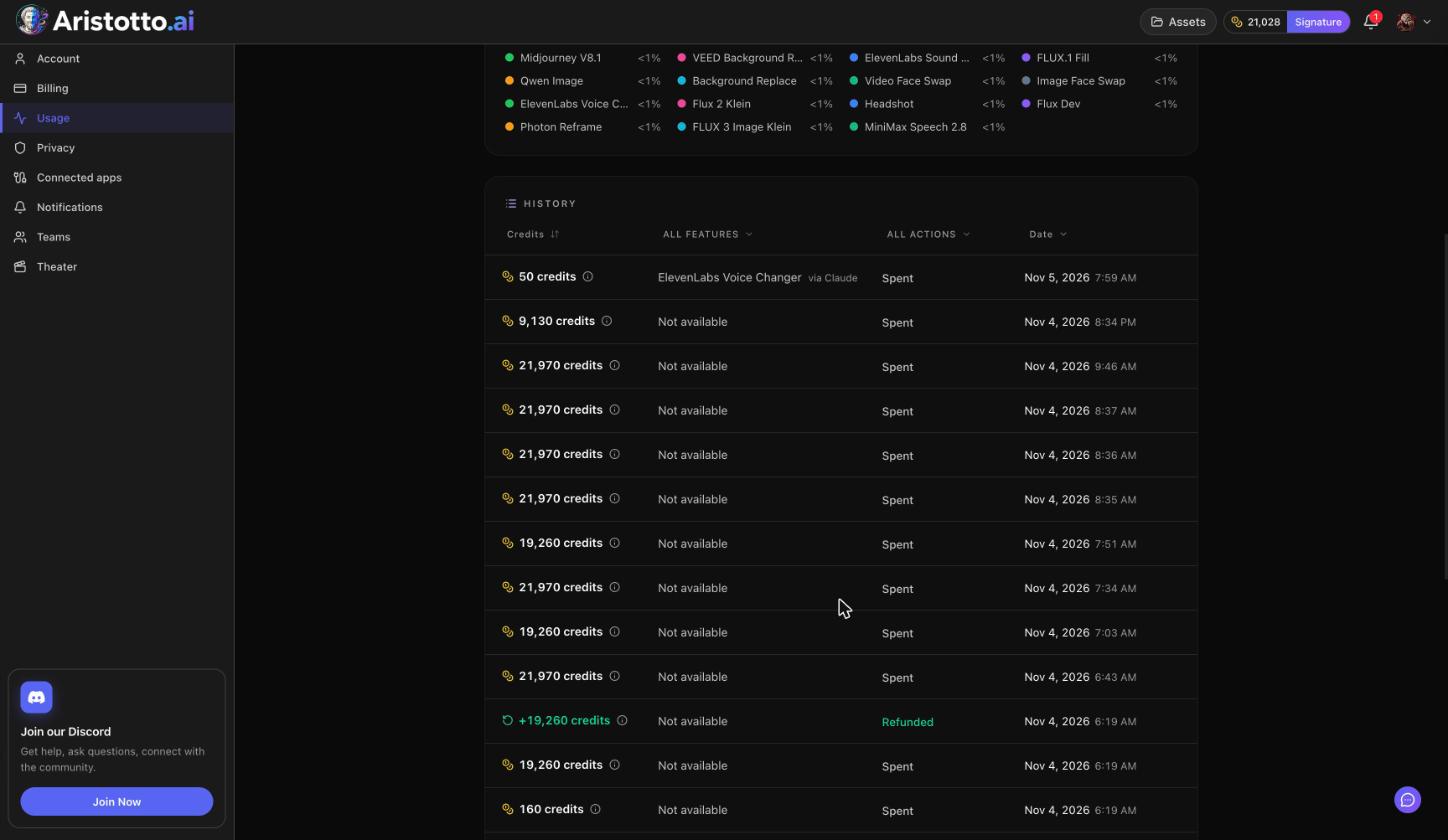
Failed, timed-out and partly failed runs are refunded automatically. You do not need to ask. The refund shows in Settings, Usage, in the History ledger, with the action Refunded.
Cancelling a run
You can cancel a run only while it is still queued. Once it has started, it runs to the end.
Check the price and your settings before you press Generate. Seriesly works the same way: once a run starts it is paid, and there is no undo.
Where to see your balance and spending
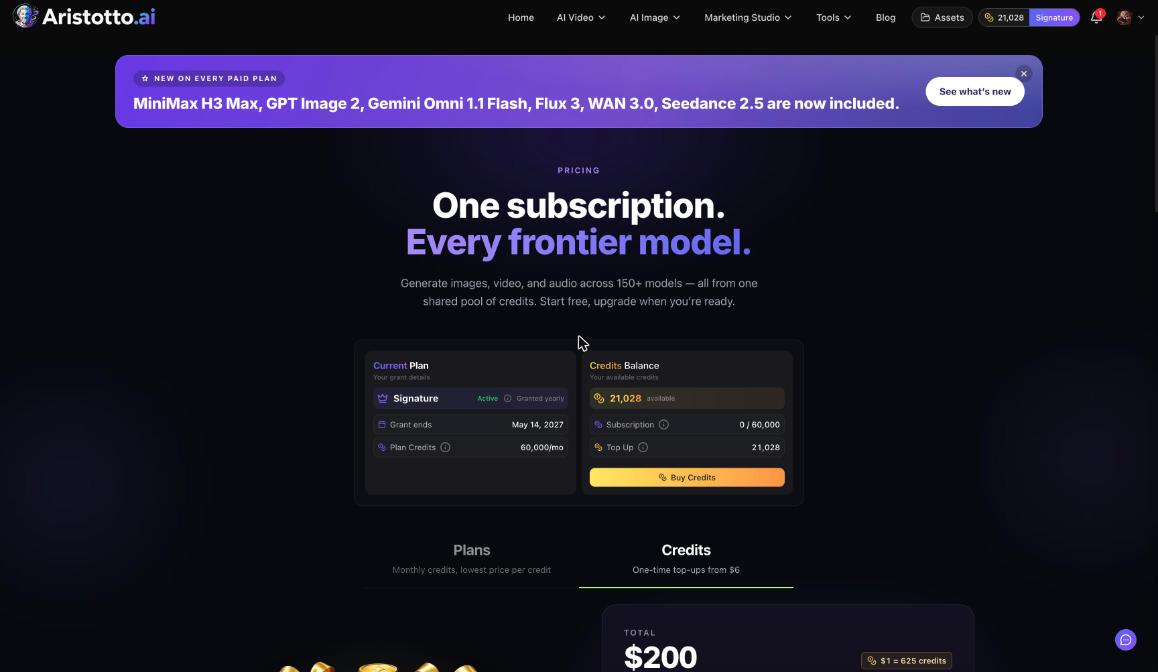
Header: your credits balance with your plan name.
Settings, Billing: Credits Balance (available, subscription used of total, top up) and Buy Credits.
Settings, Usage: Usage history with a spend overview, a feature breakdown, and a History ledger you can filter by feature, by action (Spent or Refunded) and by date.
Open Settings with Manage Account in the account menu.
Credits on a team
On a team, members create with the team's shared pool. Owners and admins choose how much each person can use and can buy extra credits for the whole team. Extra team credits never expire and are used once the plan credits run out. If a team payment fails, nobody on the team can generate, but the credits are kept.
Questions
Do my credits roll over to next month?
Plan credits do not. They reset every billing month. Credits you buy never expire, including after you cancel a plan.
Do I get my credits back if a run fails?
Yes. Failed, timed-out and partly failed runs are refunded automatically, and the refund shows in Settings, Usage.
Can I stop a video halfway through?
No. You can cancel a run only while it is still queued. Once it has started, it runs to the end.
How do I know what a run will cost?
Read the Generate button. It shows the price in credits for your model and settings before you press it.
Where can I see what I spent?
Settings, Usage. The History ledger lists each Spent and Refunded row, and you can filter it by feature, action and date.