Aristotto Plans Explained: Base, Atelier, Virtuoso and Signature
 by Aristotto4 min
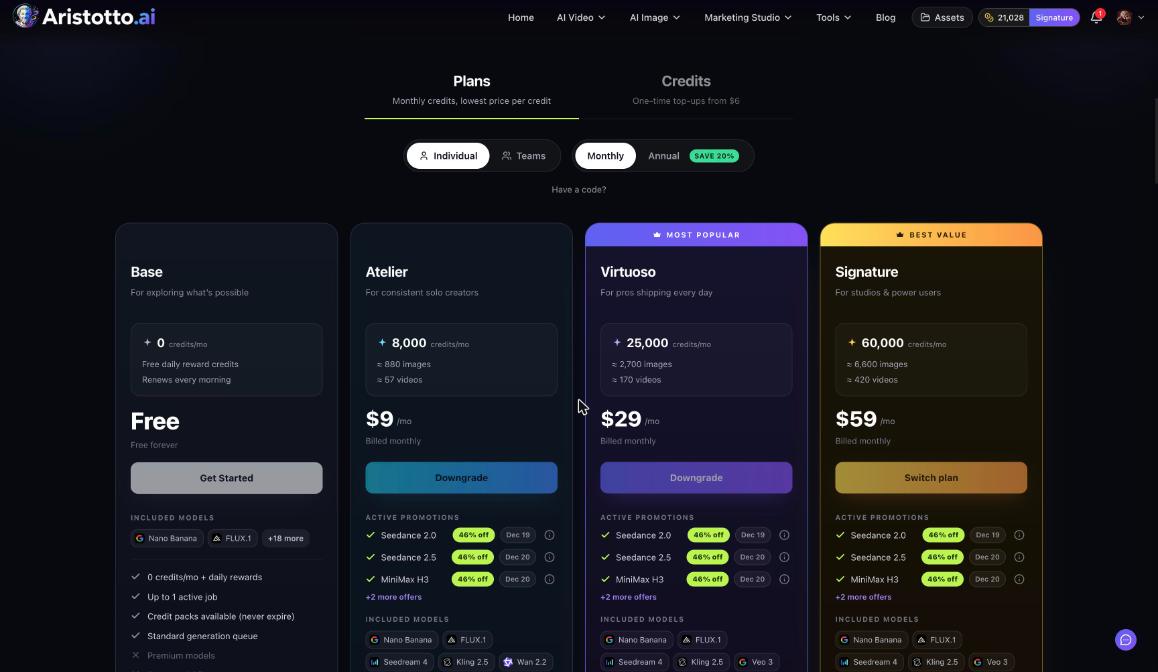
Aristotto has four plans for one person: Base is free, Atelier is $9 a month, Virtuoso is $29 a month and Signature is $59 a month. Paid plans add monthly credits, more runs at once and a faster queue. Compare them under Pricing in the account menu, or at aristotto.ai/pricing. Paying annually saves 20%.
The four plans side by side
| Plan | Price | Credits a month | Roughly makes | Runs at once | Queue |
|---|---|---|---|---|---|
| Base | Free | 0, plus free daily reward credits | Not listed | Up to 1 | Standard |
| Atelier | $9 a month | 8,000 | About 880 images or 57 videos | Up to 3 | Priority |
| Virtuoso | $29 a month | 25,000 | About 2,700 images or 170 videos | Up to 5 | Priority, 2x faster |
| Signature | $59 a month | 60,000 | About 6,600 images or 420 videos | Up to 8 | Highest priority, 3x faster |
Credits work across 67 video, 48 image and 11 audio models today, paid from one shared pool.
What each plan adds
Base: free. Daily reward credits renew every morning, and you can buy credit packs. Standard queue.
Atelier: premium models (Veo, Sora, Kling), a full commercial license, a priority queue and early access to new models.
Virtuoso: marked most popular. Premium models (Veo, Sora, Kling), a full commercial license, early access to new models and a priority queue that runs 2x faster.
Signature: marked best value. All premium models, a full commercial license, early access to new models, the highest priority queue (3x faster) and the lowest cost per credit.
What a paid plan unlocks in other places
Some features name a plan in their own rules:
| Feature | What the plan changes |
|---|---|
| Audio Library | Atelier and up can use tracks. Virtuoso and up can download them and use them commercially, with 40 downloads a day. |
| Video Editor | Export and Captions need a paid plan. |
| Workflows | Running, publishing and cloning need a paid plan. |
| Profile | A private profile needs a paid plan. |
| Model offers | Live model offers apply to subscribers, automatically at Generate. |
How to choose and change a plan
Open Pricing from the account menu.
Choose Monthly or Annual. Annual saves 20%.
If you have a promo code, enter it in Have a code?.
Pick a plan. A new plan goes to Stripe Checkout.
If you already have a plan:
Upgrades apply now, after a confirm dialog.
Downgrades are scheduled for the end of the period.
Plans bought in the App Store or Google Play are managed there.
When a higher plan is available, the header also shows Upgrade.
How to manage or cancel a plan
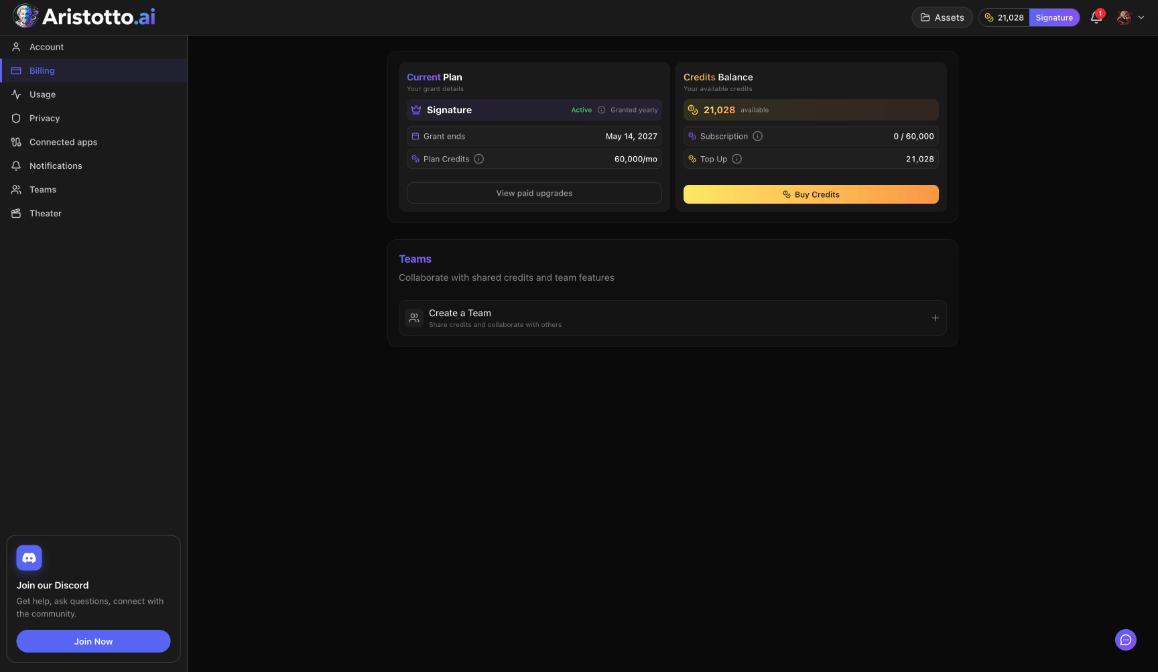
Open Manage Account in the account menu, then Billing. Current Plan shows your plan, its status, the grant or renewal date and your plan credits a month. Paid plans also show Change Plan and Manage Billing. Manage Billing opens the Stripe portal with View Invoices, Update Payment, Manage Plan and Cancel Subscription.
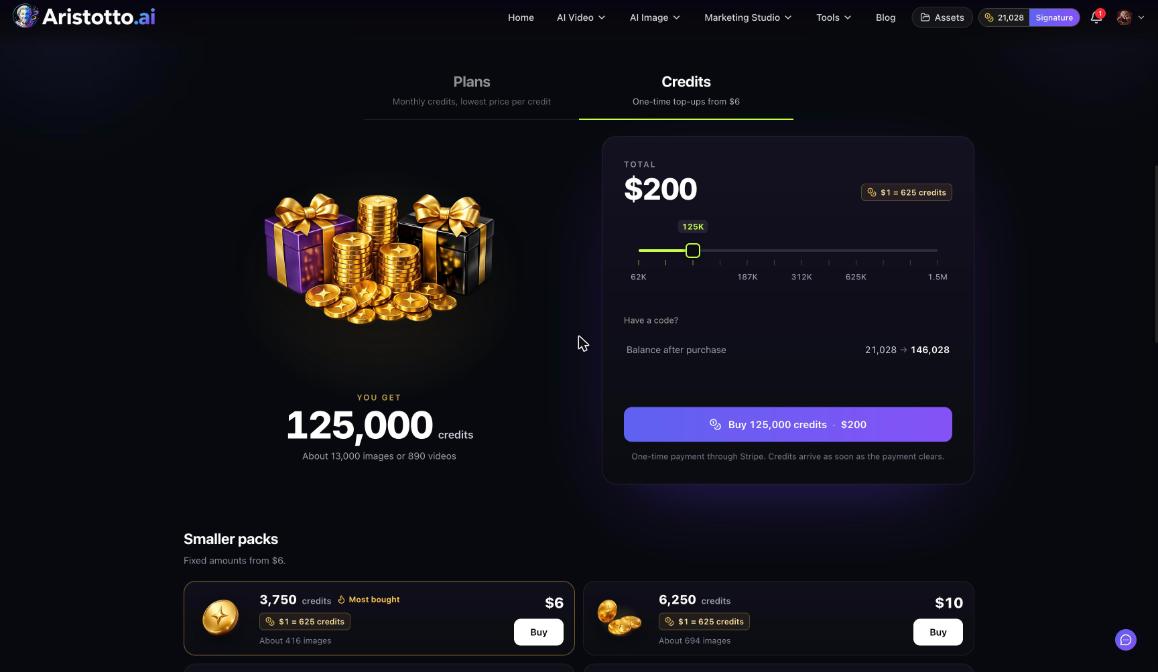
Plan credits reset every billing month and do not roll over. Credits you buy never expire, including after you cancel a plan.
Plans for teams
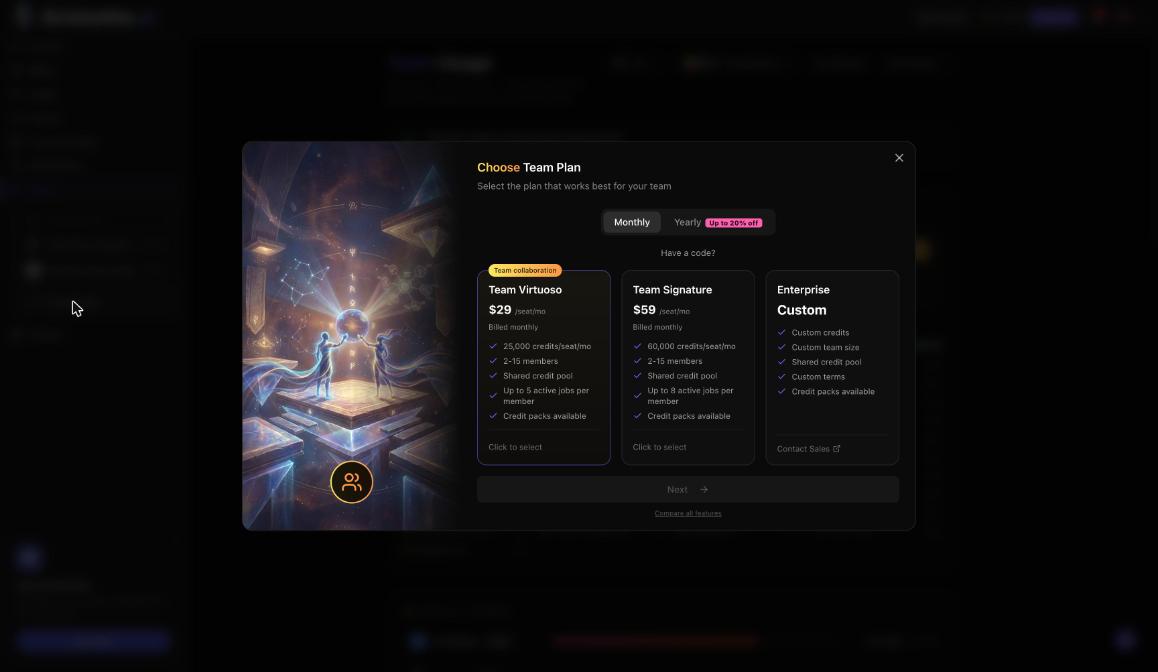
For 2 to 15 people there are team plans. Team Virtuoso is $29 per seat a month with 25,000 credits per seat pooled. Team Signature is $59 per seat a month with 60,000 credits per seat pooled. Enterprise is custom, with unlimited members.
Questions
Is there a free plan?
Yes, Base. It has 0 credits a month plus free daily reward credits that renew every morning, up to 1 run at once and the standard queue. You can buy credit packs on Base.
Do unused plan credits roll over?
No. Plan credits reset every billing month. Credits you buy never expire, even after you cancel a plan.
When does an upgrade take effect?
Right away, after you confirm in the dialog. A downgrade is scheduled for the end of your billing period.
Which plan has the fastest queue?
Signature, with the highest priority queue at 3x faster. Virtuoso has a priority queue at 2x faster.
I subscribed in the App Store. Where do I change my plan?
In the App Store. Plans bought in Google Play are managed in Google Play.