Your Aristotto Profile: What People See and How to Edit It
 by Aristotto3 min
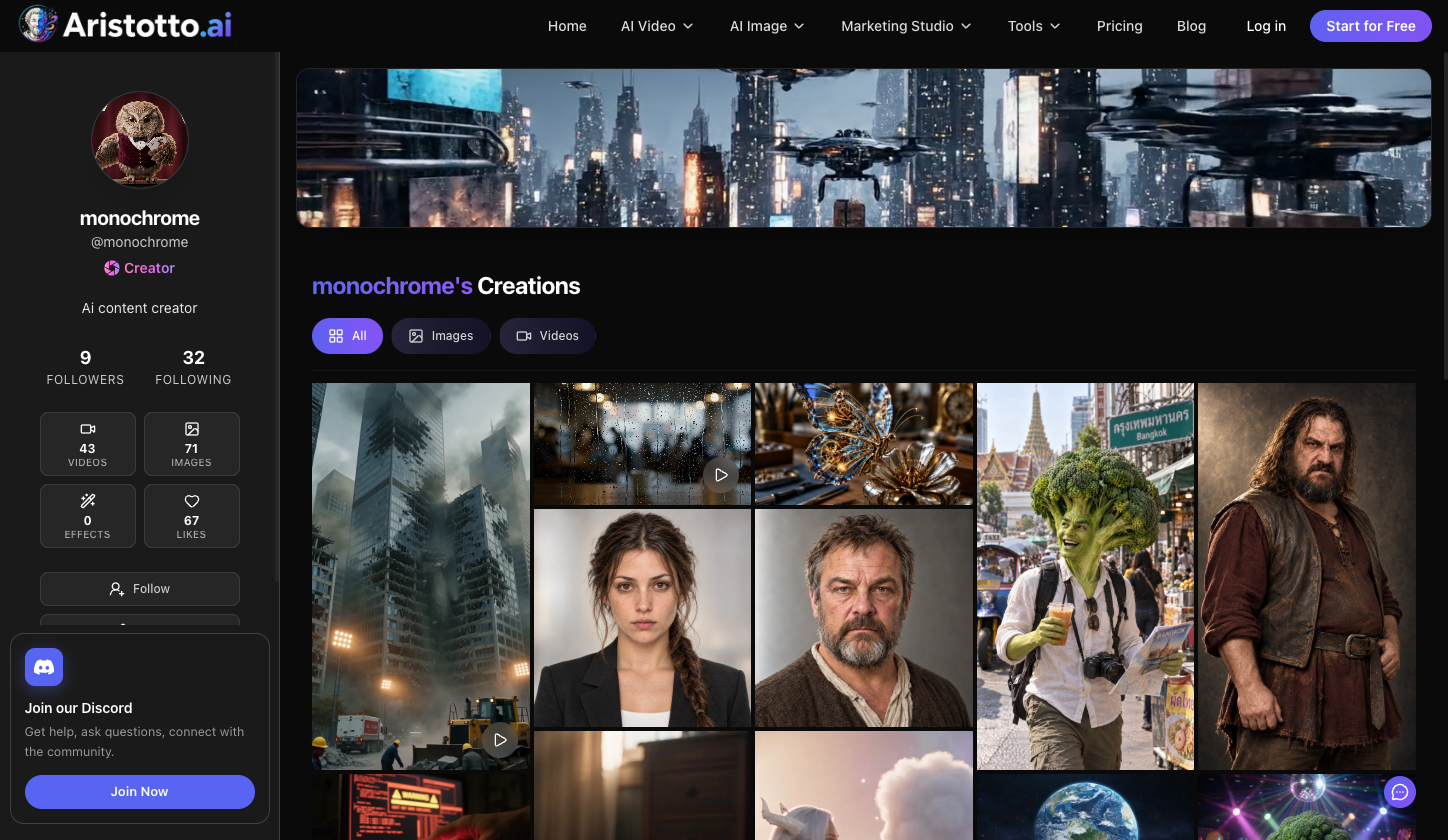
Your profile is the page people see at aristotto.ai/profile/<username>. It shows your avatar, banner, name, bio, followers and your creations. Open it with View Profile in the account menu, and change it in Settings, Account. Uploading an avatar and a banner earns a one-time reward of 150 credits.
What people see on your profile
| Part | What it shows |
|---|---|
| Avatar and banner | The pictures you upload in Edit Profile |
| Name | Your display name, with a Creator mark if you are a Creator Program member |
| Bio | The text you write in Edit Profile |
| Followers and following | How many people follow you and how many you follow |
| Counts | Your videos, images, effects and likes |
| Follow | The button visitors press to follow you |
| Creations | Your work, filtered by All, Images or Videos |
A profile menu holds Share, Report and Block.
The Creator and Partner Creator marks
Creator Program members show a Creator mark on their profile. Partners in the program show Partner Creator. Everyone sees the mark, signed in or not.
How to edit your profile
Open the account menu and press Manage Account.
In Settings, open Account.
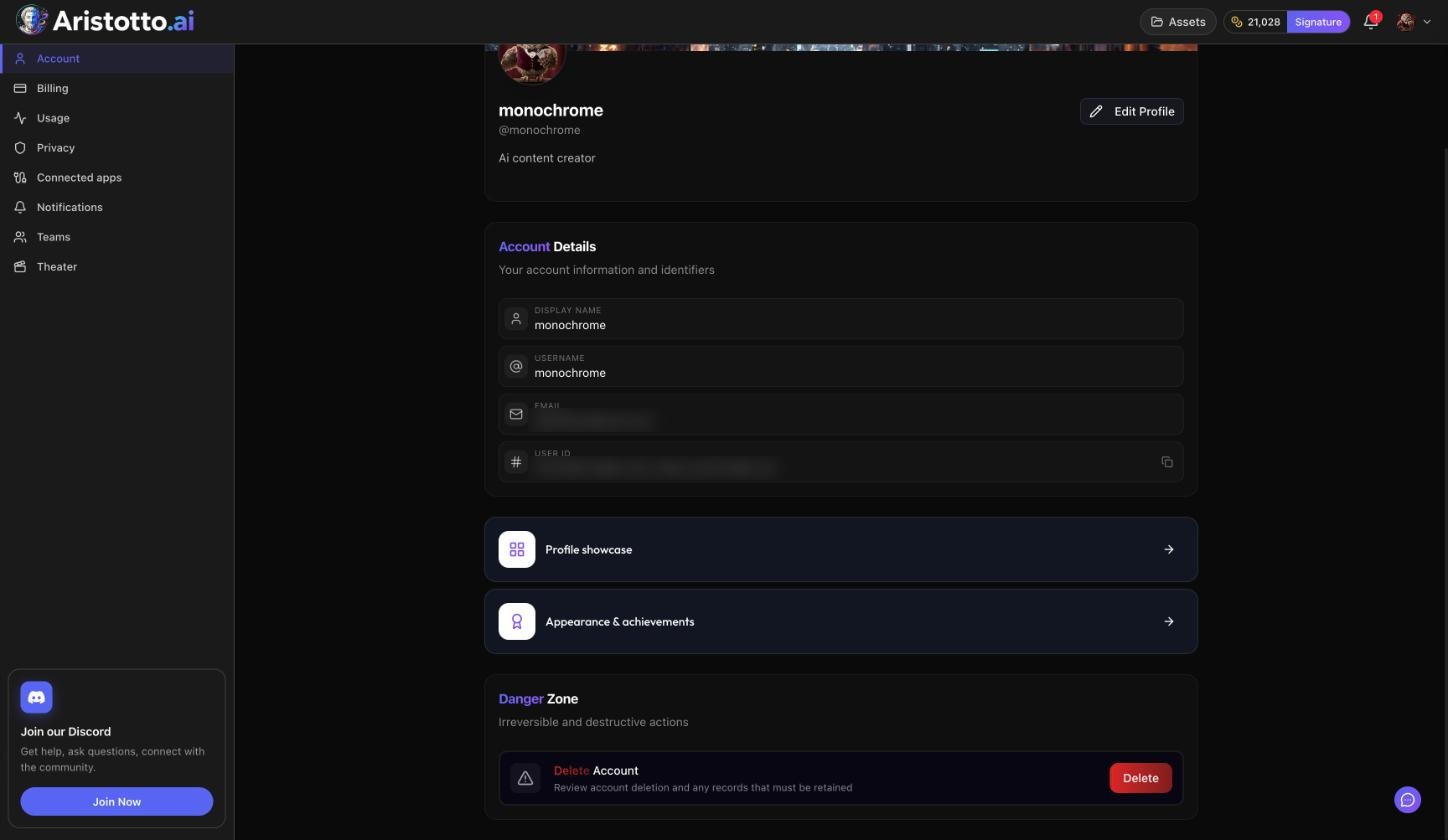
Use Edit Profile to change your display name, username, bio, avatar and banner.
Account also holds:
Account Details: your display name, username, email and user ID.
Profile showcase.
Appearance and achievements: where you pick a frame.
Danger Zone: Delete Account.
How to pick a frame
Frames are earned from generation and portfolio achievements. To pick one:
Open Settings, Account.
Go to Appearance and achievements.
Pick a frame you have earned.
How to make your profile private
Open Settings, Privacy.
Under Profile Visibility, turn off the Public Profile switch.
A private profile needs a paid plan, so on Base you cannot switch it off.
Your creations are a separate choice. Outputs are private by default, and you make each one public or private from its preview, the result row, Assets or your profile.
How to block someone
Open their profile.
Open the profile menu and press Block.
You see everyone you blocked in Settings, Privacy, Blocked users.
How to earn 150 credits for your profile
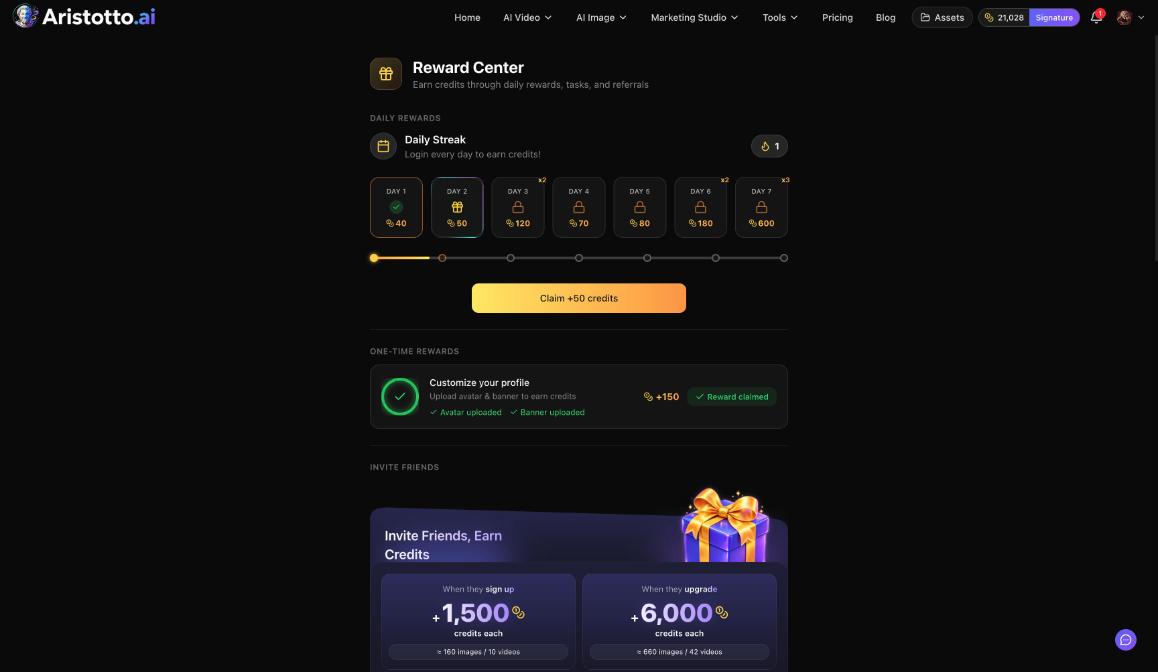
The Reward Center has a one-time reward, Customize your profile. Upload an avatar and a banner, and you get +150 credits. Open the Reward Center from Rewards in the left rail, from the bell, or at aristotto.ai/reward-center.
Questions
How do I change my username?
Open Settings, Account, Edit Profile. Your display name, username, bio, avatar and banner are all there.
Can I make my profile private?
Yes, on a paid plan. Turn off the Public Profile switch under Profile Visibility in Settings, Privacy.
Who can see my Creator mark?
Everyone, signed in or not. Members show a Creator mark and Partners show Partner Creator.
How do I get a frame?
Frames are earned from generation and portfolio achievements. Pick one in Settings, Account, Appearance and achievements.
How do I block someone?
Open their profile, open the profile menu and press Block. Your list is in Settings, Privacy, Blocked users.