Aristotto Trends: How to Start From a Trend and Publish Back
 by Aristotto3 min
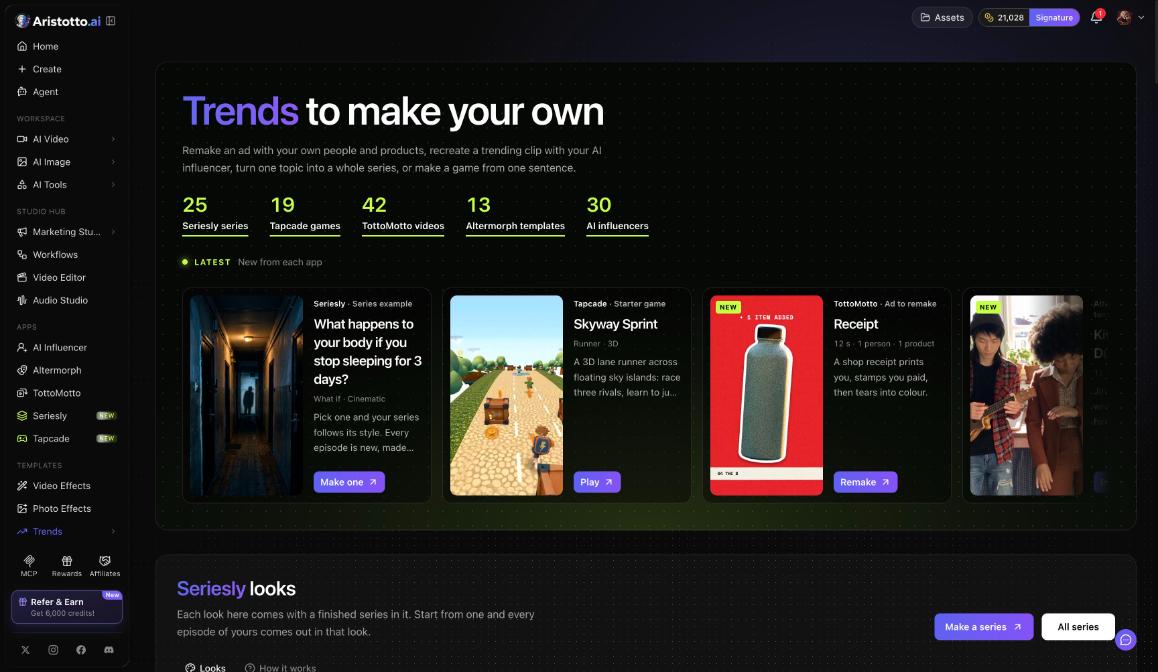
Trends is one hub for Aristotto's apps, at /trends under Templates in the left rail. It collects finished work from Seriesly, Tapcade, TottoMotto, Altermorph and AI Influencer, and each one is a starting point for your own version. When you are done, Altermorph results go back to Trends and TottoMotto results go to the community.
What is on the Trends hub
| Section | What it holds today |
|---|---|
| Seriesly looks | 25 series |
| Tapcade genres | 19 games |
| TottoMotto | 42 videos |
| Altermorph templates | 13 templates |
| AI Influencer | 30 AI influencers |
Latest shows new work from each app, with Make one, Play or Remake on each item.
How to start from a trend, app by app
Seriesly. Pick an example and your series follows its style. Every episode is new, made from your words. Once a run starts it is paid, and there is no undo.
Tapcade. The 19 starter games cover different genres, for example Skyway Sprint, a 3D lane runner. Press Play it here to try one in the browser.
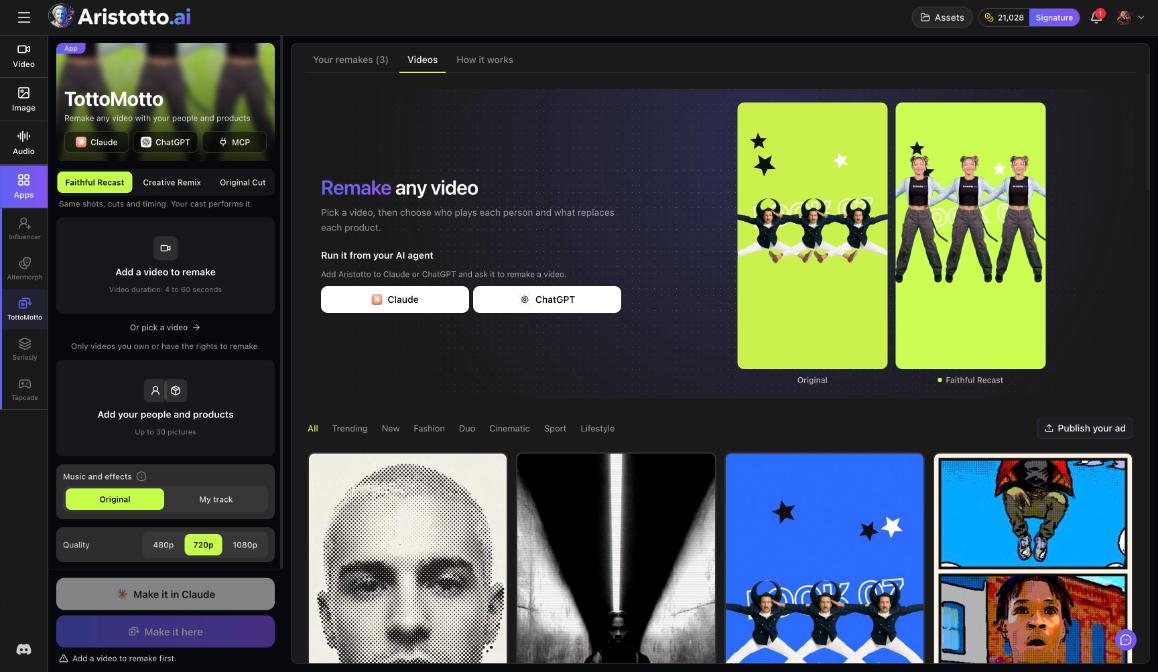
TottoMotto. Pick a video to remake with your people and products. Only remake videos you own or have the rights to remake. The price is one take per filmed shot, shown before you start.
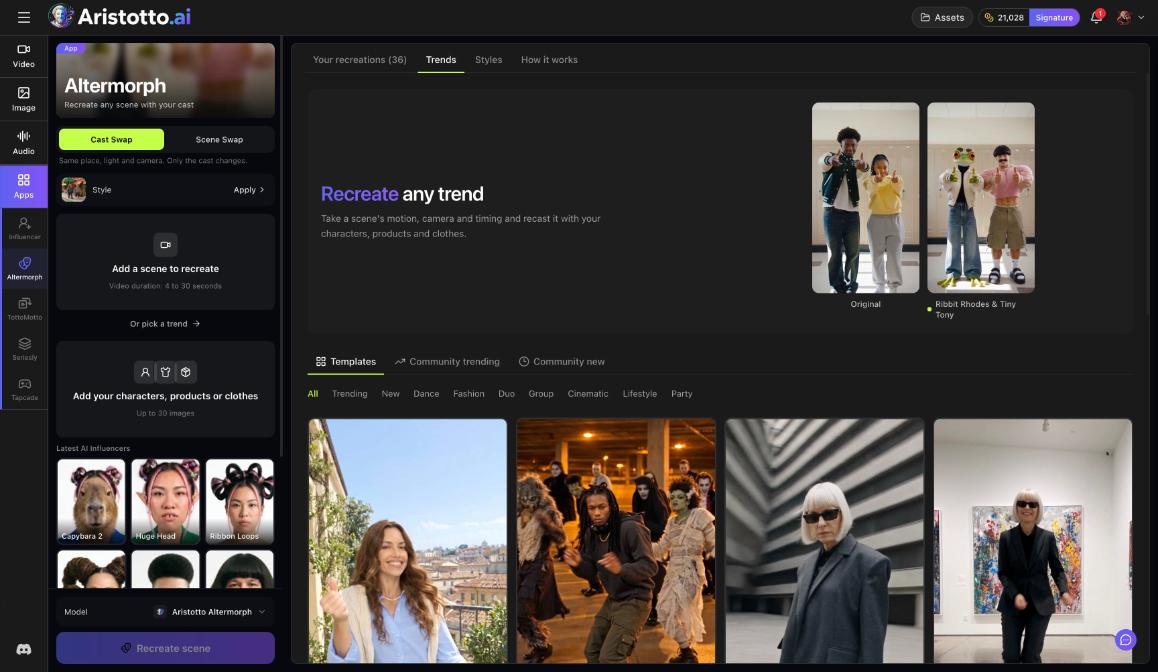
Altermorph. Pick a trend as the scene to recreate, then add your characters, products or clothes (up to 30 images). Press Recreate scene.
AI Influencer. In Explore, start from an example. Recreate loads its type and traits into the builder, and the price is the image price times the number of variations, shown on the button.
How to use the Altermorph Trends feed
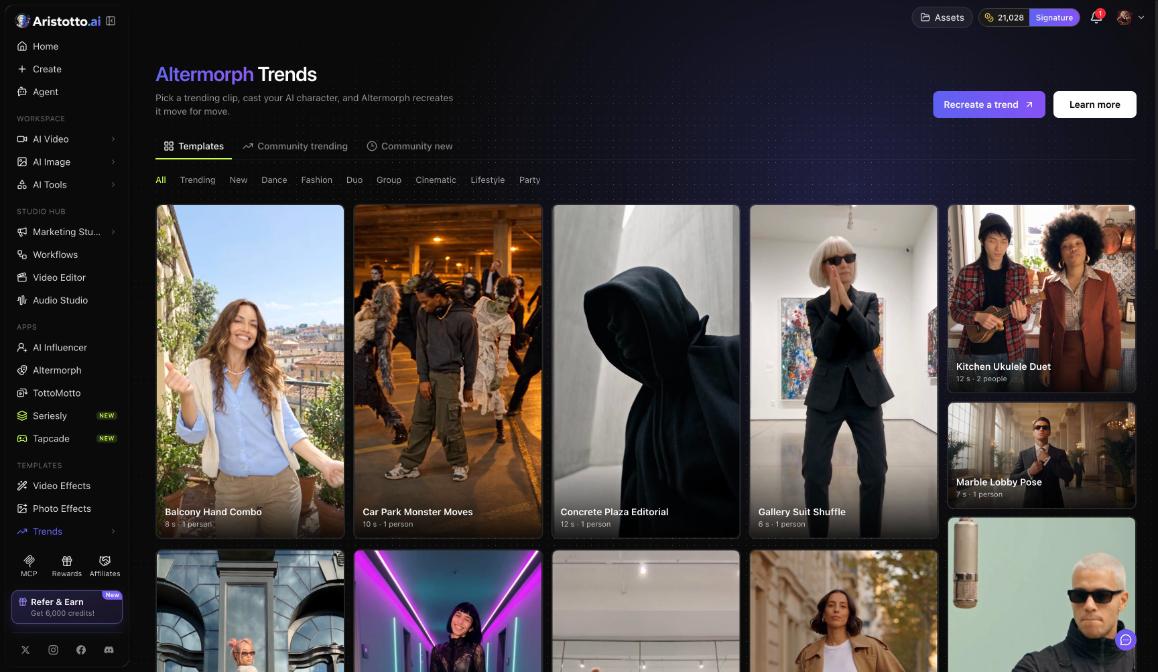
The Altermorph Trends feed lives at /trends/feed.
Sources: Templates, Community trending and Community new.
Filters: All, Trending, New, Dance, Fashion, Duo, Group, Cinematic, Lifestyle and Party.
Buttons: Recreate a trend and Learn more.
You can also start inside Altermorph. Under Add a scene to recreate, upload a video 4 to 30 seconds long or pick a trend.
How to publish back
| App | Button | Where you find it |
|---|---|---|
| Altermorph | Publish to Trends | On the result |
| TottoMotto | Publish to community | On your remake in Your remakes |
An Altermorph result shows ORIGINAL and RECREATION side by side, with Beat by beat and Shots, so you can check it before you press Publish to Trends.
If you work in a team workspace, publishing a Trends or TottoMotto remake asks for a second tick: I have the team's permission. The team's owners and admins can take it down.
Questions
Can I remake any video I find in TottoMotto?
Only videos you own or have the rights to remake.
Where does my Altermorph recreation get published?
Press Publish to Trends on the result. It shows ORIGINAL and RECREATION side by side so you can check it first.
Can I stop a Seriesly run once it starts?
No. Once a run starts it is paid, and there is no undo.
What happens when I publish from a team workspace?
You tick I have the team's permission before it goes out, and the team's owners and admins can take it down.
How do I know the price before I start?
TottoMotto shows the price before you start, at one take per filmed shot. AI Influencer shows its price on the button.