Best AI Image Models in 2026: 5 Models Compared
 by Aristotto13 min
The best AI image model in 2026 depends less on which model wins a generic benchmark and more on what you actually need to create.
GPT Image 2.5 is particularly strong for image editing and reference-based iteration. Seedream 5 Pro is built around complex visual production and information-heavy design. Nano Banana 2 combines fast generation with strong editing and real-world knowledge. Recraft V4.1 is especially relevant to designers, illustrators and brand work, while Ideogram 4 remains highly focused on typography and controlled layouts.
There is no single model that is automatically best at all five jobs.
| Model | Best for | Use it when | Consider another model when |
|---|---|---|---|
| GPT Image 2.5 | Editing and reference preservation | You need to refine an existing image or keep a subject consistent | Your main task is structured graphic design or vector work |
| Seedream 5 Pro | Complex visual production | You need dense layouts, infographics or detailed creative briefs | You mainly need fast, simple iterations |
| Nano Banana 2 | Fast general-purpose creation | You want strong generation and editing with quick iteration | Typography or highly controlled design layout is the main priority |
| Recraft V4.1 | Design, illustration and vectors | You are making brand assets, illustration, logos or structured visual work | Reference-led photo editing is the main task |
| Ideogram 4 | Typography and layout | Your image contains important headlines, labels, posters or graphic composition | Conversational image editing is more important than layout control |
The table is the short answer. The differences become more interesting once you look at what happens during an actual creative workflow.
GPT Image 2.5: best for editing and iterative creative work
GPT Image 2.5 is one of the strongest choices when the first generation is only the beginning.
Its biggest improvements focus on what happens after you already have an image: preserving the original subject, making targeted edits and maintaining details through several rounds of changes.
That makes it particularly useful for portraits, characters, campaign variations, product imagery and any workflow where you want to say, "change this, but keep everything else."
For example, you might already like a portrait but want to move the person into a different environment. Or you may have a product image where the background needs to change without redesigning the packaging.
Those are exactly the types of tasks where reference preservation matters.
GPT Image 2.5 also generates faster than its predecessor and produces more natural lighting and richer textures. Inside ChatGPT, tools such as Sketch, Templates and image comments also make it easier to communicate visual changes without describing everything in text.
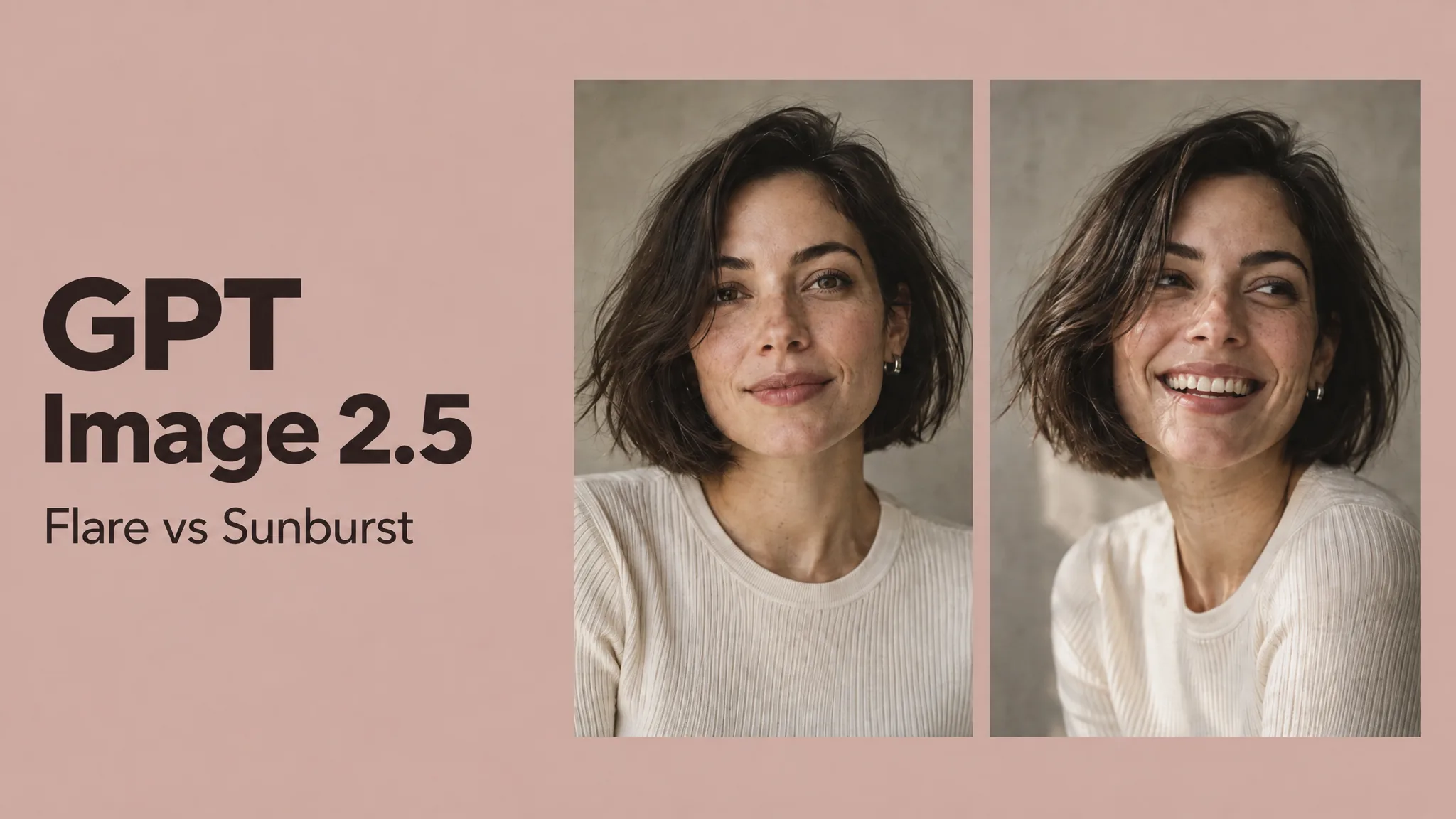
The limitation is that improved editing does not mean perfect editing. In our GPT Image 2.5 Flare vs Sunburst test, one version preserved a small scene object while the more precision-focused version removed it. Faces, props, text and product details still need checking after a generation.
Use GPT Image 2.5 when: the image will go through several rounds of revision, reference preservation matters, or you want to edit an existing creative rather than continuously regenerate it.
Look elsewhere when: typography, vector output or tightly structured graphic layouts are the main goal.
Seedream 5 Pro: best for complex visual briefs
Seedream 5 Pro is aimed more directly at professional visual production.
One of its more interesting strengths is handling images that contain a lot of information at once. That can include infographics, technical visuals, layouts combining text and imagery, educational graphics and detailed commercial concepts.
This makes it different from a model that primarily excels at producing a visually pleasing standalone photograph.
A prompt for Seedream 5 Pro can describe relationships between several visual elements, information hierarchy and content structure rather than only subject and style.
That makes it particularly interesting for marketing teams, editorial work and creators producing images where the model needs to understand how different parts of the composition relate to each other.
Its design capabilities also make it useful when a creative needs to communicate something, not merely look attractive.
The tradeoff is that not every job needs that level of complexity. If you are simply producing many straightforward social images or iterating rapidly on a simple visual idea, a faster general-purpose model may be more convenient.
Use Seedream 5 Pro when: the prompt involves complex composition, dense information, infographics, structured advertising or several visual requirements that need to work together.
Look elsewhere when: you mainly need quick generations or simple reference-based edits.
Nano Banana 2: best all-around choice for fast creation
Nano Banana 2 is one of the strongest general-purpose models in the current group.
It combines image generation and editing with the speed of Google's Flash family, making it useful when you want strong output without turning every image into a long production process.
One distinctive advantage is its access to Gemini's broader world knowledge. That can help when an image depends on understanding a real subject, location, concept or piece of information instead of purely inventing a visual scene.
This becomes particularly useful for things like diagrams, educational imagery, concept visualization and content where factual context matters.
Nano Banana 2 also focuses strongly on subject consistency and editing, which makes it relevant for repeated characters and reference-led creative work.
Its main advantage may simply be balance. It is not narrowly built around one type of visual production. It can move between photorealistic images, edits, diagrams, creative concepts and everyday content without requiring creators to switch models constantly.
That broadness can also be the reason to choose something else. If you know that your main requirement is sophisticated typography, vector illustration or highly controlled graphic design, a more specialized model may provide tools better suited to the job.
Use Nano Banana 2 when: you want a fast, versatile image model that can handle generation, editing and a wide variety of visual tasks.
Look elsewhere when: your work depends heavily on typography, vector assets or specialist layout control.
Recraft V4.1: best for designers and illustration
Recraft V4.1 stands out because it approaches image generation more like a design tool than a general image generator.
The V4.1 family includes different versions for different creative needs. The main V4.1 model is more expressive and visually exploratory, Utility focuses on simpler and more predictable compositions, and Vector is designed around clean illustration, lettering and scalable visual assets.
That specialization matters.
A designer making a logo, icon system, vector illustration or brand graphic needs something different from a photographer generating a cinematic portrait.
Recraft is particularly interesting when images need to move into a wider design workflow rather than remain as finished flat generations.
Its strengths in illustration, vector work and visual hierarchy make it useful for branding, editorial illustration, ecommerce graphics and marketing assets.
Independent testing also tends to highlight its ability to produce deliberate compositions and cleaner design-oriented output rather than simply chasing photorealism.
For creators whose main job is editing a real reference photograph while preserving a person's identity, however, GPT Image 2.5 or Nano Banana 2 may be more natural starting points.
Use Recraft V4.1 when: you are creating illustration, branding, visual identity, vector graphics, logos or design-led marketing assets.
Look elsewhere when: realistic reference editing and conversational image revision are more important than design structure.
Ideogram 4: best for text and controlled layouts
Ideogram has always been closely associated with one difficult AI image problem: getting words inside an image to actually look correct.
Ideogram 4 pushes further into design rather than treating typography as an afterthought.
It supports structured control over text, layout, color palettes and element placement. That makes it particularly useful for posters, packaging concepts, ad creatives, event graphics and other images where the location and appearance of specific elements matter.
Its layout tools are especially important because prompt-based image generation can otherwise leave composition largely to chance.
If you want a headline in one part of an image, supporting copy somewhere else and the subject positioned within a defined area, Ideogram is designed around that kind of instruction.
It is also open-weight, which makes it interesting beyond the normal creator use case for teams that want more control over how a model is deployed or customized.
But that does not automatically make it the best choice for general image editing. If the task is changing the clothing of a person while maintaining their face across several edits, another model may fit the workflow better.
Use Ideogram 4 when: text accuracy, posters, typography, packaging, graphic design or precise layout matter most.
Look elsewhere when: your workflow is primarily conversational editing of photographs or reference images.
Which AI image model is best for photorealism?
There is no useful universal winner here.
All five models can produce convincing photographic images, but they approach the task differently.
GPT Image 2.5 is particularly useful when the photograph needs to survive repeated edits. Nano Banana 2 is attractive when you want fast generation combined with a broad understanding of the subject. Seedream 5 Pro becomes more interesting when the photograph is part of a more complex visual brief.
Recraft V4.1 can also produce strong photography, but its more distinctive advantage lies in design and illustration. Ideogram 4 can produce realistic imagery too, but its typography and layout controls are a stronger reason to choose it.
For creators, the better question is usually not "which model makes the most realistic image?" but "what do I need to do with the image after it is generated?"
Which model is best for image editing?
For reference-based and conversational editing, GPT Image 2.5 and Nano Banana 2 are the first models we would consider.
GPT Image 2.5 puts a particularly strong emphasis on preserving the original subject through several edits.
Nano Banana 2 also combines advanced editing with fast iteration, making it useful when many changes need to happen quickly.
That does not mean either model will perfectly preserve every requested element. Generative editing can still alter secondary objects, text, proportions or other details unexpectedly.
For important creative work, compare the result with the source image rather than assuming a successful-looking edit is actually faithful.
Which model is best for text in images?
If text is the central requirement, Ideogram 4 is the most specialized choice in this comparison.
Its approach includes explicit control over text elements and layout, making it well suited to posters, packaging and advertising graphics.
Recraft V4.1 is also strong for typography, particularly when lettering is part of a broader design or vector workflow.
Seedream 5 Pro is worth considering for text-heavy infographics and complex information layouts.
GPT Image 2.5 and Nano Banana 2 can both render useful text, but typography is not the main reason we would select them over the more design-focused alternatives.
Which model is best for product images?
This depends heavily on the kind of product creative you are making.
For a product that must remain recognizable across several environments or edits, GPT Image 2.5 is a strong choice because reference preservation becomes important.
Nano Banana 2 works well for rapidly producing multiple concepts or variations.
Seedream 5 Pro is interesting when product imagery becomes part of a more complex advertisement or structured commercial layout.
Recraft V4.1 is useful when the product creative is closer to designed marketing material, while Ideogram 4 becomes especially relevant when packaging, labels or promotional typography dominate the image.
There is no reason to use the same model for every stage of the process.
A creator could generate concepts with one model, edit a product reference with another and build the final typography-heavy advertisement in a third.
Which model is best for designers?
Recraft V4.1 and Ideogram 4 stand out most clearly for traditional design-oriented work.
Recraft is particularly strong around illustration, vector output and brand assets.
Ideogram focuses more heavily on typography, graphic composition and layout control.
Seedream 5 Pro sits somewhere between general image generation and more complex visual communication, which makes it relevant for designers creating infographics or information-heavy visuals.
The better choice therefore depends on whether the design problem is primarily illustration, typography or information structure.
Do you need to choose only one AI image model?
Probably not.
The current image-model market is increasingly specialized.
A model that is excellent at reference editing does not necessarily need to be the best model for typography. A design-focused model does not need to be the fastest model for generating social concepts.
For creators with access to multiple models, it often makes more sense to choose based on the job.
Use GPT Image 2.5 when you need controlled edits.
Use Seedream 5 Pro when the brief becomes complex.
Use Nano Banana 2 when you want fast, flexible generation.
Use Recraft V4.1 when you are designing.
Use Ideogram 4 when text and layout become central to the image.
The best AI image workflow in 2026 may be less about finding one permanent winner and more about knowing which model to reach for next.
Common questions
What is the best AI image model in 2026?
There is no single winner for every task. GPT Image 2.5 is strong for editing, Seedream 5 Pro for complex visuals, Nano Banana 2 for versatility, Recraft for design and Ideogram for typography.
Which AI image model is best for editing?
GPT Image 2.5 and Nano Banana 2 are strong choices for reference-based editing and repeated revisions, especially when the original subject needs to remain recognizable.
Which AI image model is best for text?
Ideogram 4 is particularly focused on typography and layout control. Recraft V4.1 and Seedream 5 Pro are also useful for design and text-heavy visual work.
Which AI image model is best for product photography?
GPT Image 2.5 is useful when product details need to survive several edits. Nano Banana 2 is strong for fast variations, while Seedream 5 Pro suits more complex commercial layouts.
Which AI image model is best for designers?
Recraft V4.1 is a strong fit for illustration, vectors and branding. Ideogram 4 is especially useful when typography and precise layout are central to the design.
Is Nano Banana 2 better than GPT Image 2.5?
It depends on the task. Nano Banana 2 is fast and versatile, while GPT Image 2.5 places more emphasis on reference preservation and controlled multi-step editing.
Is Seedream 5 Pro good for professional design work?
Yes. Seedream 5 Pro is designed for complex visual production, including infographics, structured layouts and images that combine multiple information-heavy elements.
Do I need to use the same AI image model for every project?
No. Different models specialize in different parts of the creative process, so switching models based on editing, typography, speed or design needs can produce a better workflow.