Seedream 5.5 on Aristotto: How to Edit a Photo Again and Again Without It Drifting
 by Aristotto3 min
Seedream 5.5 is ByteDance's newest image model, and it's live on Aristotto today. It's built for editing: change one thing, then another, then another, and the rest of the picture stays where it was.
We started from one portrait and edited it eight times in a row. Here's how, plus how to combine references and get sharp small text and real skin.
How to edit a photo round after round
Open Image to Image, add your photo with the Images tile next to the prompt, and describe one change. Say what should stay the same, too. When the result is back, use it as the image for your next change.
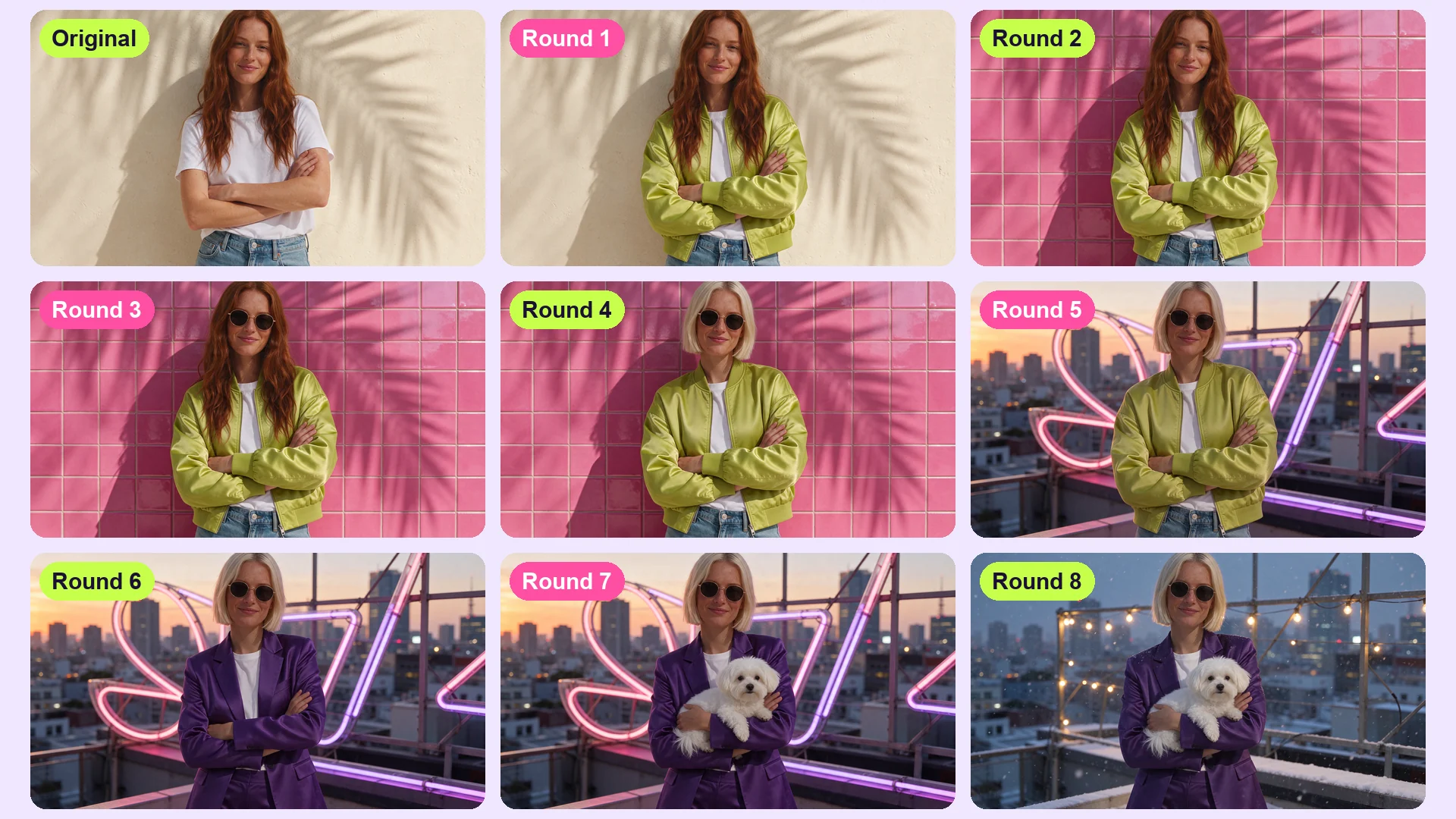
These are the eight changes we made, one per round:
A lime green satin bomber jacket.
Glossy hot pink tiles on the wall behind her.
Round gold-rimmed sunglasses.
A sleek platinum blonde bob.
A Tokyo rooftop at golden hour, with neon behind her.
A tailored violet satin suit.
A small fluffy white dog in her arms.
A snowy winter evening on the same rooftop.
Each prompt named one change and listed what to keep. Round one read: "Change only her outfit: she now wears an oversized lime green satin bomber jacket over the white t-shirt. Keep her face, hair, pose, framing, background and light exactly the same."
How to combine up to 10 references
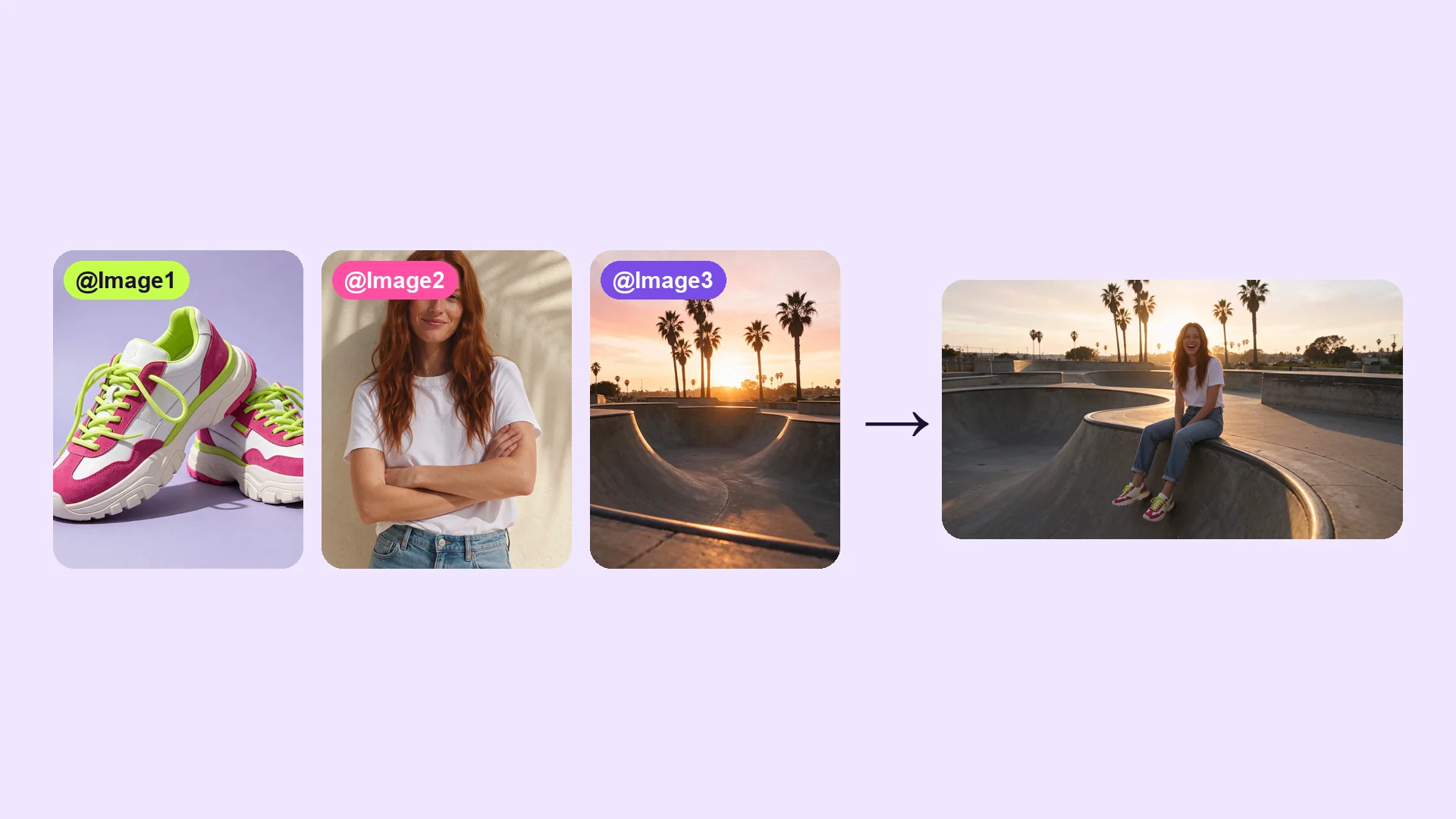
Add 1 to 10 pictures with the Images tile next to the prompt. They're numbered in the order you add them, and you name them in the prompt as @Image1 through @Image10.
We added a pair of sneakers, a woman and a skate bowl. In the prompt that reads: "The woman from @Image2 sits on the edge of the skate bowl from @Image3, wearing the sneakers from @Image1, legs dangling, laughing, golden hour light. Keep her face and the sneakers exactly as in the references."
How to get sharp small text
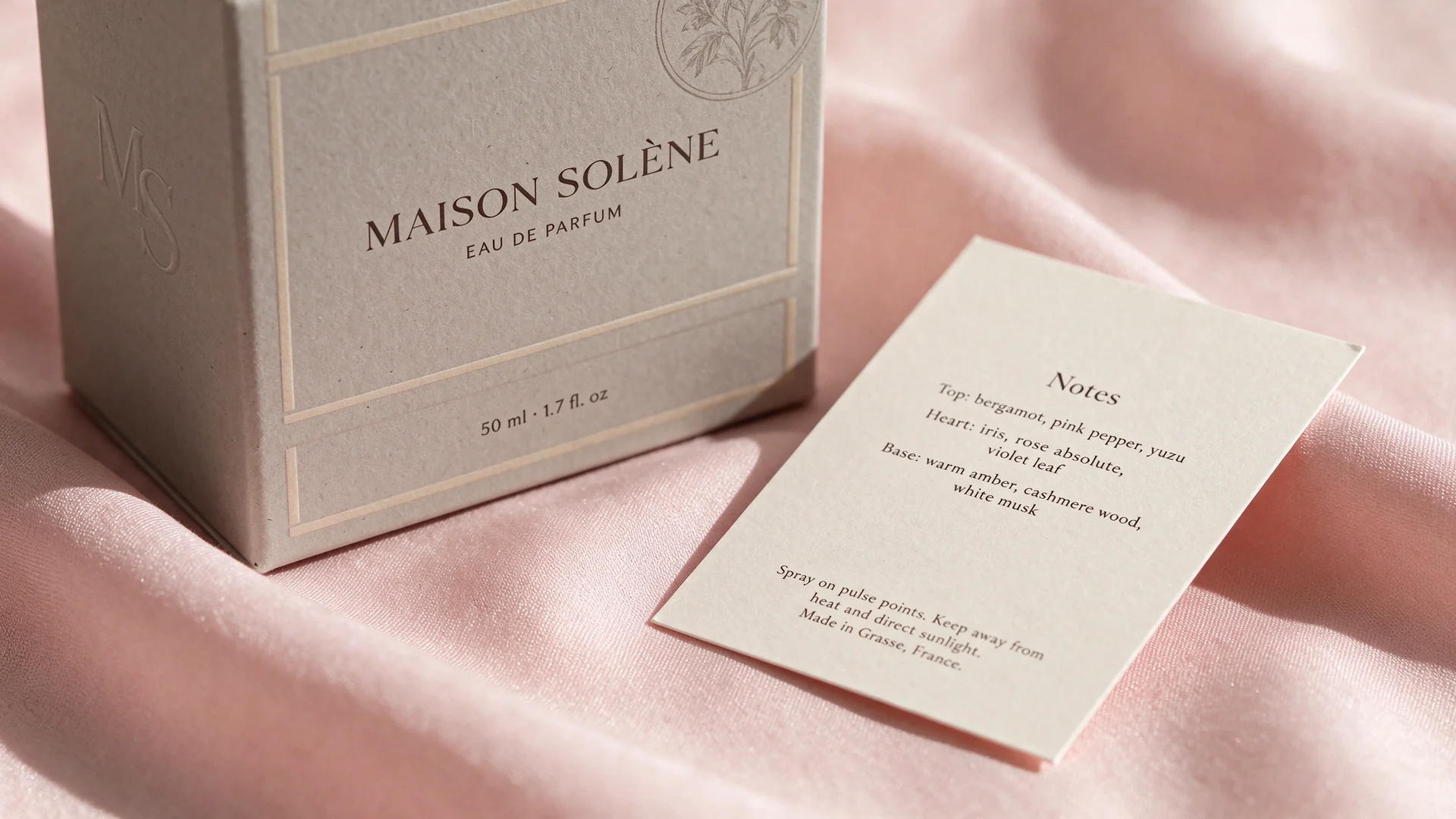
Seedream 5.5 renders at up to 2K, which is enough for fine print like a perfume box and its leaflet. Quote each line you want, in the order it appears.
Our box reads "MAISON SOLÈNE", "EAU DE PARFUM" and "50 ml · 1.7 fl. oz", and the leaflet lists the top, heart and base notes in small serif type.
How to get real skin and light
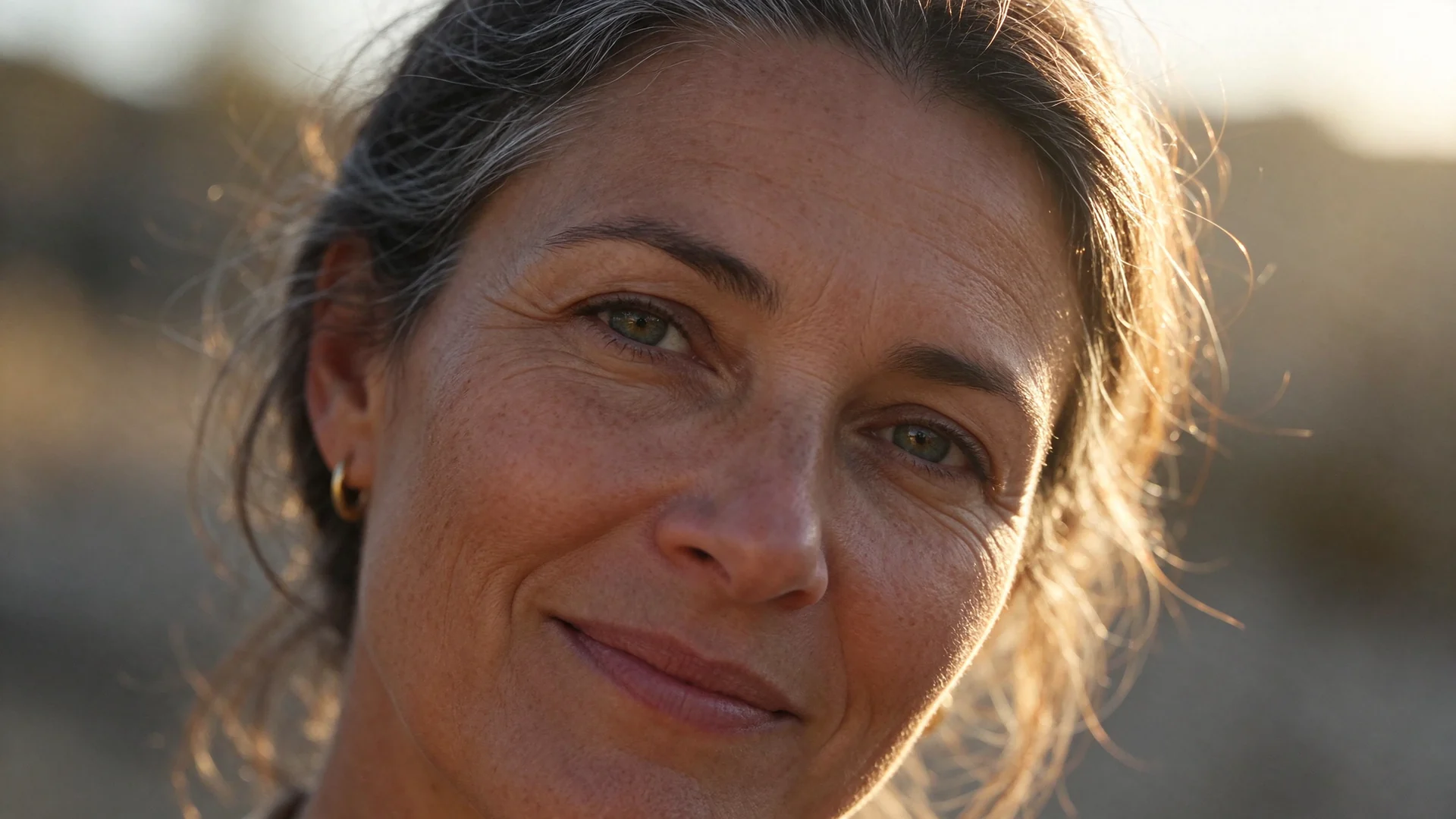
Ask for what a camera would see: pores, fine peach fuzz, laugh lines, catchlights in the eyes. Name the light and the lens, too.
Our prompt: "Extreme close-up portrait of a woman in her forties with silver-streaked dark hair, laugh lines and freckles, smiling softly, golden hour backlight with a warm rim on her hair, visible skin pores and fine peach fuzz, catchlights in her hazel eyes, 85mm f/1.8."
Questions
How many times can I edit the same photo?
As many as you like. Use each result as the image for the next change; we did eight rounds in a row.
How many reference images can I use?
1 to 10, in Image to Image. Name them in your prompt as @Image1 through @Image10, in the order you added them.
What sizes can it make?
1K, 1.5K or 2K, in 1:1, 4:3, 3:4, 16:9 or 9:16.
Can I get PNG files?
Yes. Open Advanced and set Output Format to PNG. JPEG is the default.