Aristotto Team Plans and How to Create a Team
 by Aristotto3 min
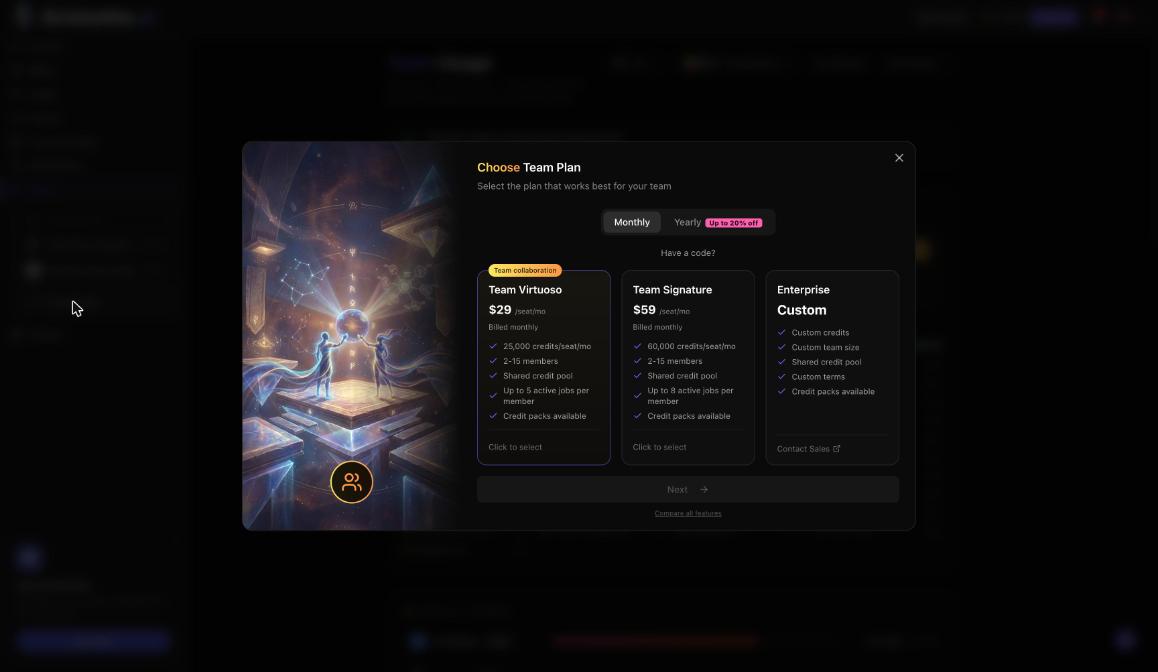
A team plan puts 2 to 15 people on one shared pool of credits, with a shared workspace and shared assets. Team Virtuoso costs $29 per seat a month and Team Signature $59 per seat a month, and yearly billing takes up to 20% off. You create a team from the account menu with Create New Team, and the person who pays becomes the Owner.
Team plans compared
| Plan detail | Team Virtuoso | Team Signature | Enterprise |
|---|---|---|---|
| Price | $29 per seat a month | $59 per seat a month | Custom |
| Credits | 25,000 per seat a month, pooled | 60,000 per seat, pooled | Contract credits that roll over |
| Members | 2 to 15 | 2 to 15 | Unlimited |
| Parallel generations | Up to 16 (up to 5 per member) | Up to 24 (up to 8 per member) | Higher, set in the agreement |
| Analytics and support | Basic usage analytics | Detailed analytics and priority support | Usage by member and by model, dedicated Slack support |
| Spend control | Admin spend control | Admin spend control | A limit for each person |
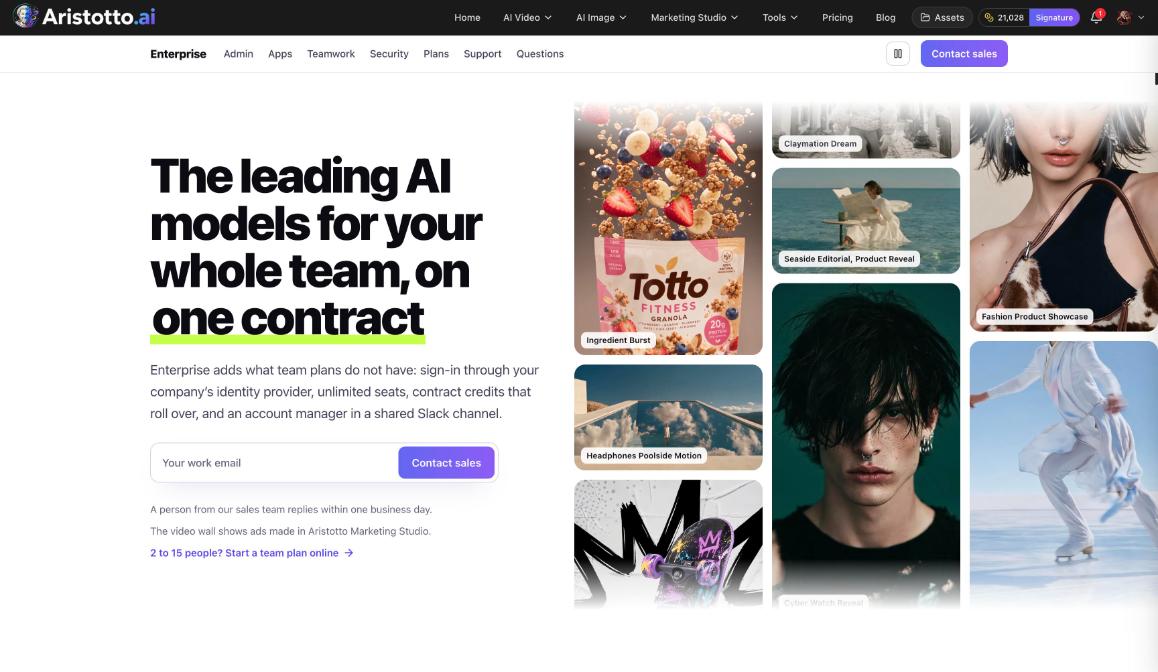
Every team plan includes a shared workspace and shared assets. 2 to 15 people can start a team plan online. Enterprise is a custom contract with unlimited members, and the team page has Need a custom plan? Contact Sales.
How to create a team
Open the account menu (your avatar in the header) and choose Create New Team. You can also go to Settings, Teams, Create team.
In Choose Team Plan, pick the plan and Monthly or Yearly. Have a code? takes a promo code.
Press Next.
Name the team and choose how many seats you need.
Pay through Stripe.
The person who pays becomes the Owner. A checkout takes one discount, so a promo code replaces a running promo. Settings, Billing also has Teams with Create a Team.
What the team page shows
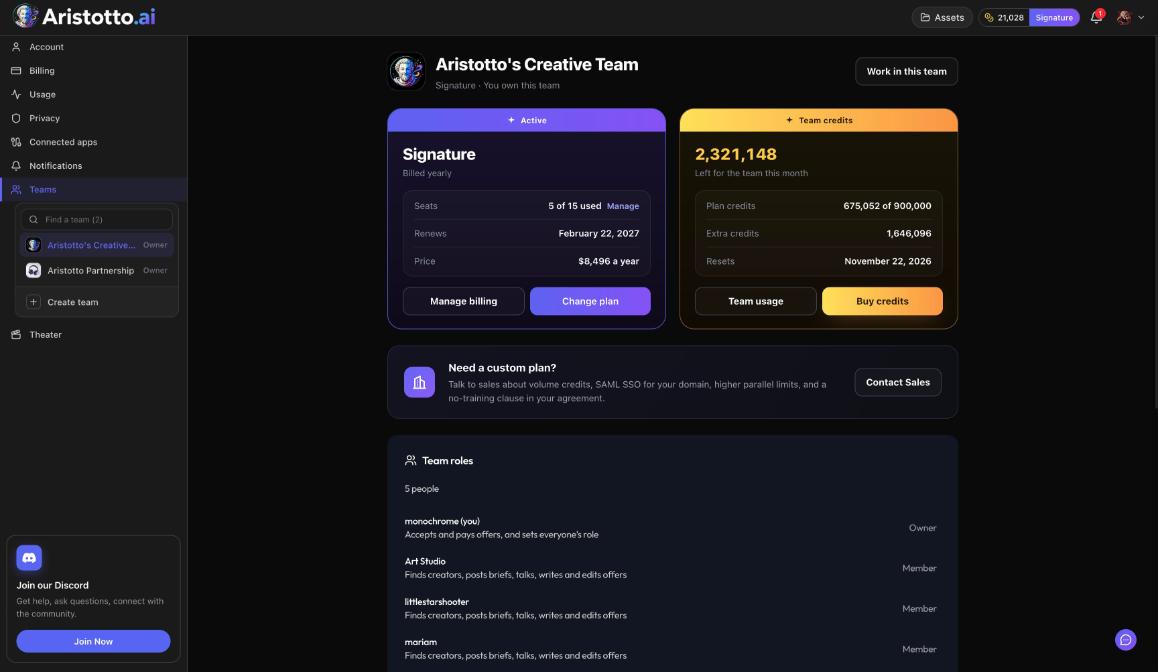
Once the team is paid for, its page has:
Work in this team: switches your workspace to the team. The account menu also shows Personal or the team, with Switch to move between them.
Plan card: the plan, Billed monthly or yearly, Seats used (Manage), Renews, Price, Manage billing and Change plan.
Team credits card: credits left for the team this month, plan credits used of the total, extra credits, the reset date, Team usage and Buy credits.
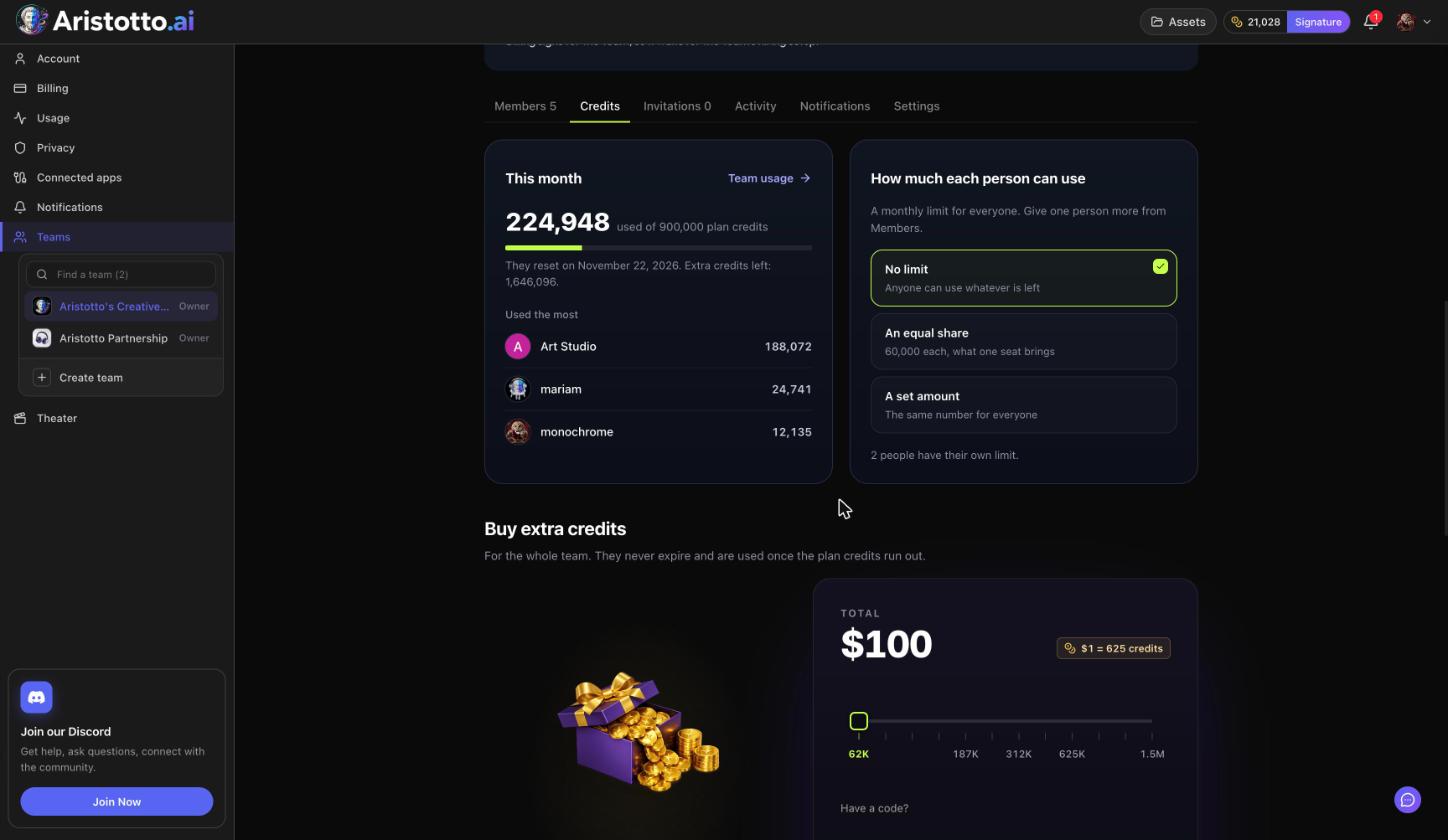
Tabs: Members, Credits, Invitations, Activity, Notifications and Settings.
Set up the team after you pay
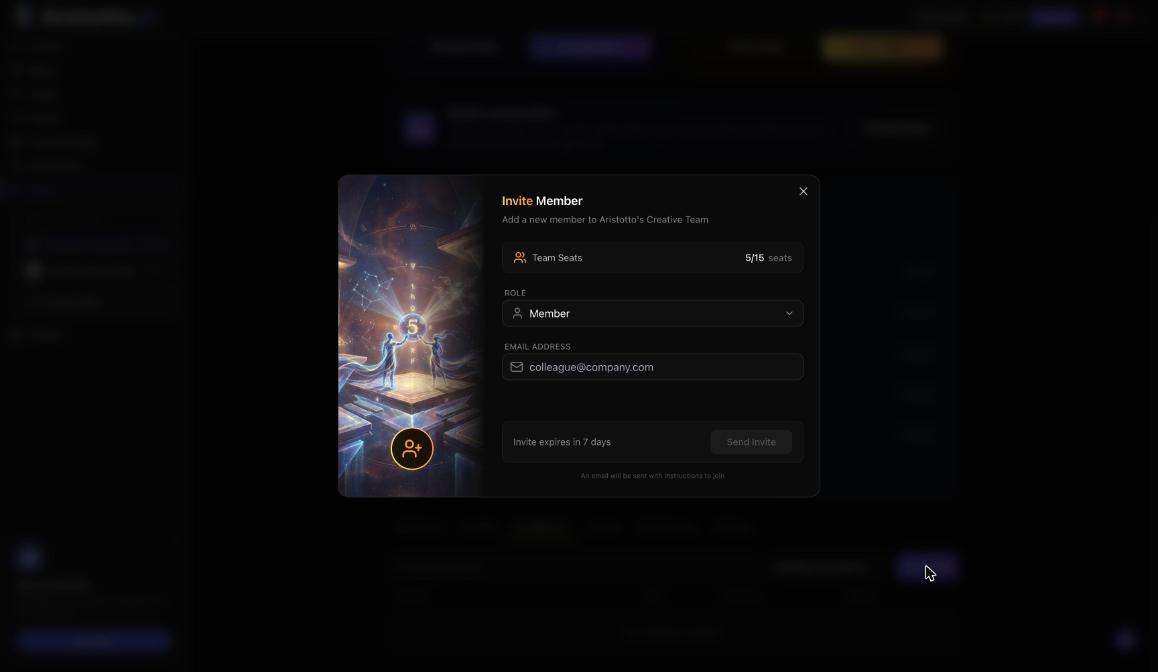
Invite people from the Invitations tab with Invite. Each invite needs a free seat and expires in 7 days.
Pick a role for each person: Member or Admin.
On the Credits tab, choose how much each person can use: No limit, An equal share or A set amount.
Check the Notifications tab. Team notifications go to everyone on the team, and owners and admins edit them.
Owners and admins can also buy extra credits for the shared pool. They never expire and are used once the plan credits run out.
If a team payment fails
If a team payment fails, nobody on the team can generate, but the credits are kept. The Owner handles billing from Manage billing on the plan card.
Questions
Where do I create a team?
Open the account menu and choose Create New Team, or go to Settings, Teams, Create team.
Can I use a promo code on a team plan?
Yes. Have a code? is in the Choose Team Plan step. A checkout takes one discount, so a code replaces a running promo.
Do I keep my personal account?
Yes. The account menu shows Personal or the team, and Switch moves you between them.
How many people can join a team plan?
2 to 15. Enterprise has unlimited members.
What happens if a team payment fails?
Nobody on the team can generate, but the team's credits are kept.