Team Credits and Monthly Limits: How to Decide Who Spends What
 by Aristotto3 min
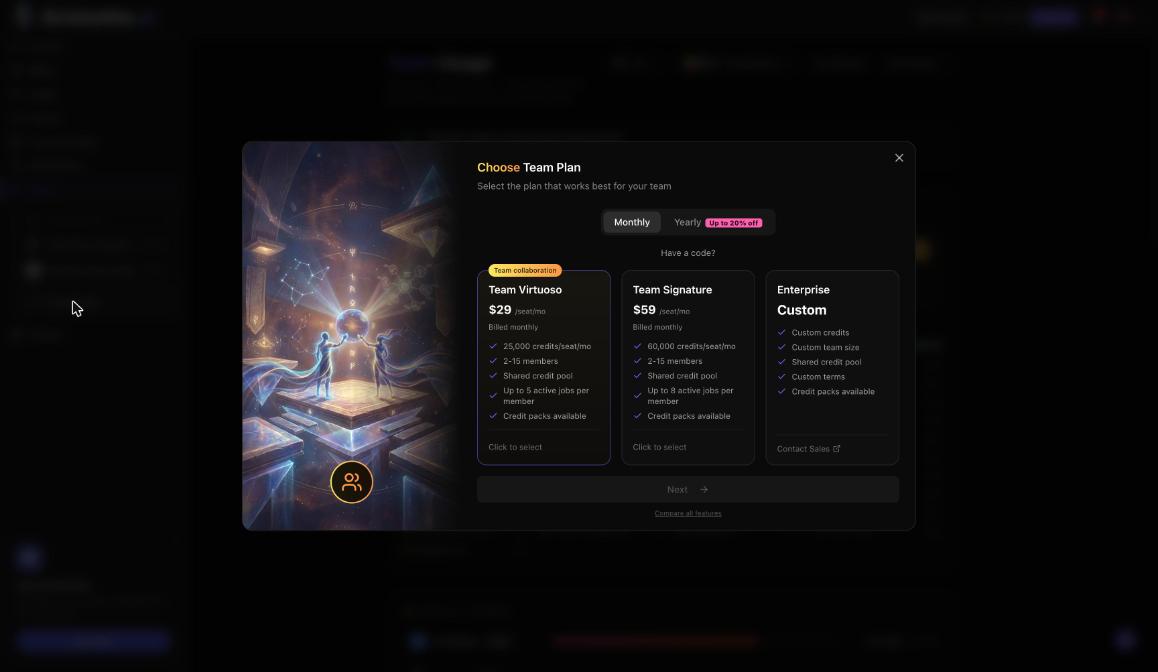
A team plan pools credits. Each seat adds 25,000 credits a month on Team Virtuoso and 60,000 on Team Signature, and members create with the team's credits. Owners and admins decide how much each person can use on the team's Credits tab, and every member sees their own limit.
What goes into the pool
The pool holds two kinds of credits:
Plan credits: every seat brings its share. They reset each billing month on the reset date shown on the team page.
Extra credits: bought for the whole team. They never expire and are used once the plan credits run out.
A few rules apply to every run made with team credits:
Every run shows its price on the Generate button before you press it.
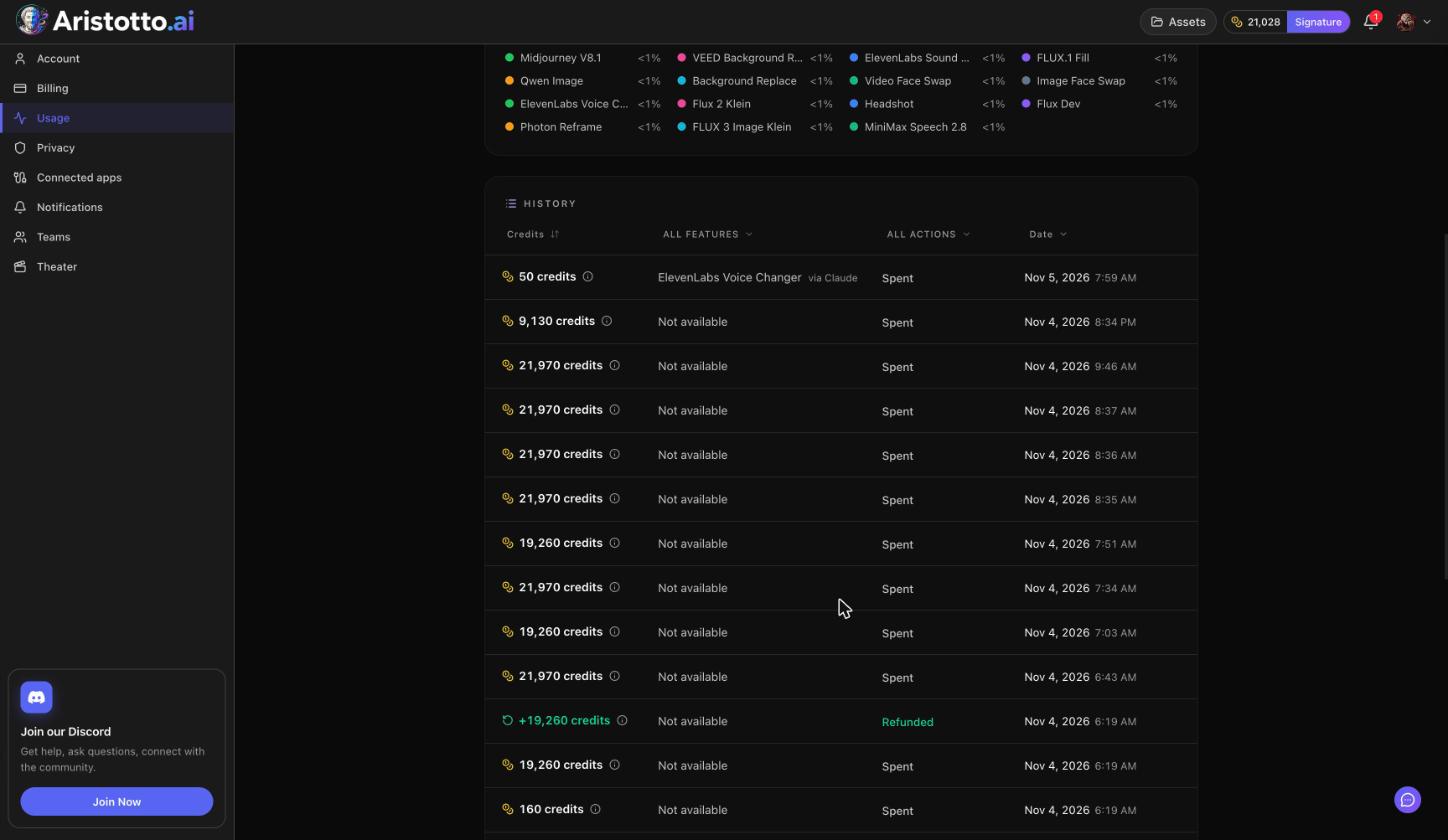
Failed, timed-out and partly failed runs are refunded automatically.
If a team payment fails, nobody on the team can generate, but the credits are kept.
Read the Credits tab
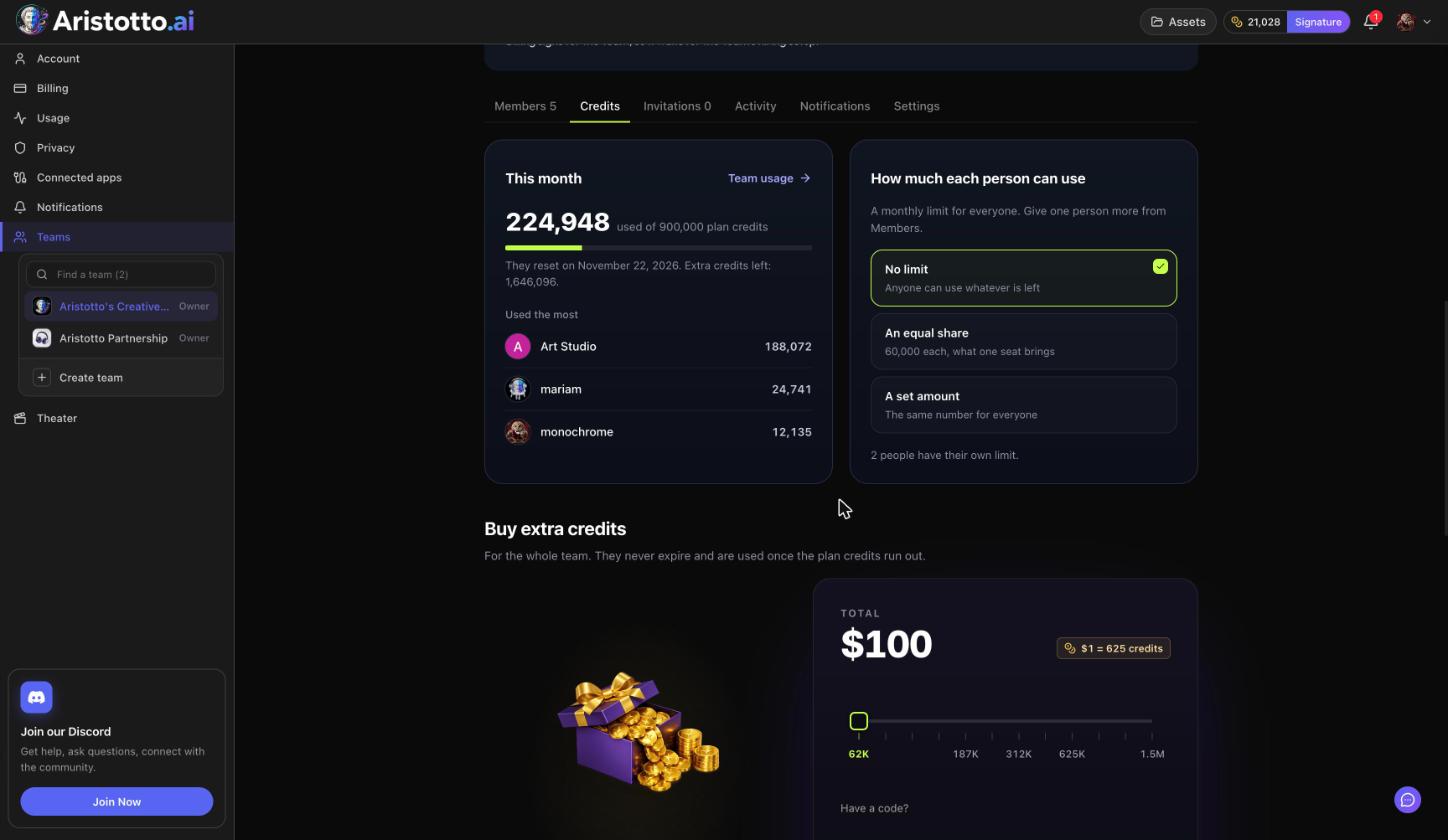
This month, at the top of the Credits tab, shows:
credits used of the plan credits
the reset date
extra credits left
Used the most
The Team credits card on the team page shows the same pool at a glance: credits left this month, plan credits used of the total, extra credits and the reset date, with Team usage and Buy credits.
Choose how much each person can use
Owners and admins pick one setting for the team under How much each person can use:
| Setting | What it does |
|---|---|
| No limit | Anyone can use whatever is left in the pool. |
| An equal share | Each person can use what one seat brings: 25,000 credits on Team Virtuoso, 60,000 on Team Signature. |
| A set amount | Everyone gets the same number, which you choose. |
To give one person a different limit, set their own limit from the Members tab. Members see their own limit; they do not change it.
Buy extra credits
Owners and admins buy extra credits for the shared pool in two places:
Buy credits on the Team credits card.
Buy extra credits on the Credits tab.
Extra credits are for the whole team, never expire and are used once the plan credits run out. Each purchase shows in the team's Activity log.
Track who spends what
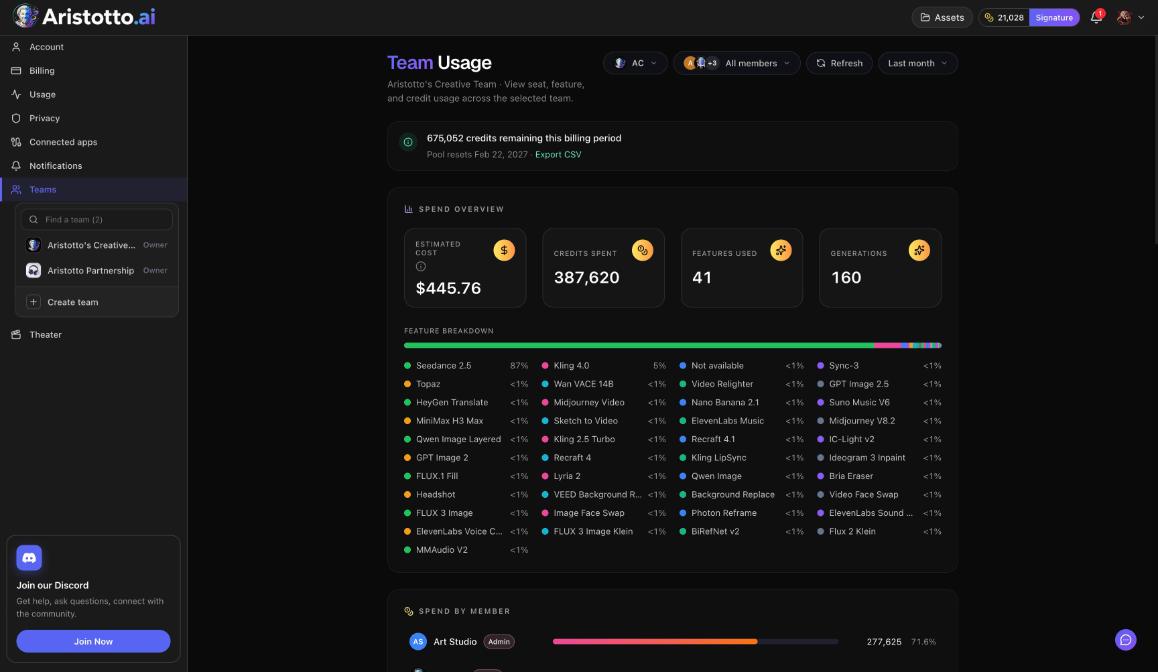
Team usage (owners and admins): credits remaining this billing period, the pool reset date, a spend overview, a feature breakdown and Spend by member. Filter by member and period, and use Export CSV.
Activity log (owners and admins): limit changes and credit purchases, with the columns Change, By, Credits and When.
When AI apps spend team credits
If you use Aristotto from Claude, ChatGPT or another app connected through MCP, Settings, Connected apps has Pay with: Personal or Team. Spend without asking sets an allowance: charges inside it start without asking you, and anything above it still waits for your approval. The allowance covers Personal and Team together. Disconnect revokes an app's access right away.
Questions
Who can change spending limits?
Owners and admins. Admins can set limits and buy credits, and the Owner can do everything an Admin can.
Can one person have a different limit from the rest?
Yes. Give that person their own limit from the Members tab.
Do extra team credits expire?
No. They never expire and are used once the plan credits run out.
Can members see their limit?
Yes. Every member sees their own limit.
Where do I see who spent the most?
The Credits tab shows Used the most for this month, and Team usage shows Spend by member.