Tuko Skills: How to Use, Create and Upload Them
 by Aristotto3 min
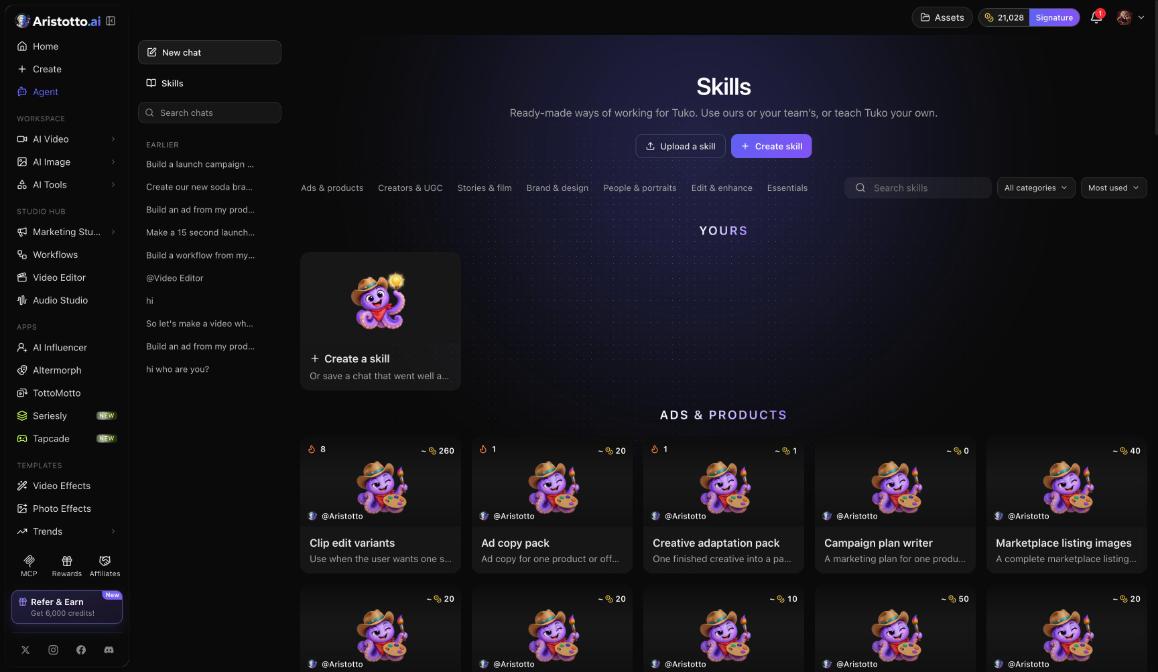
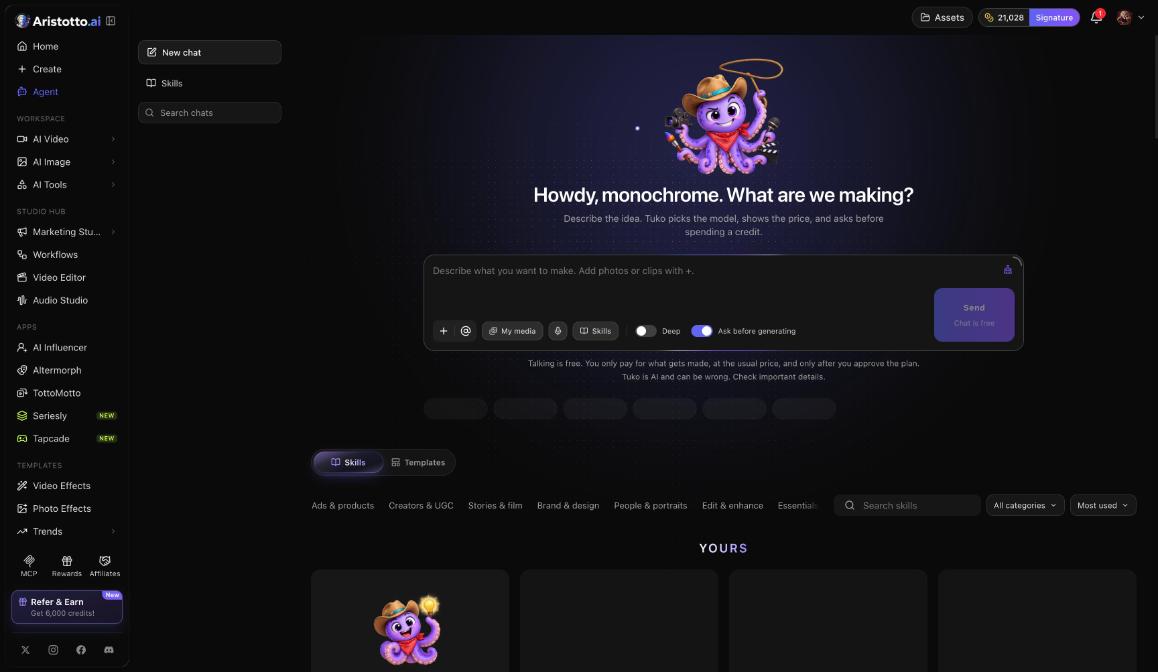
Tuko Skills are ready-made ways of working for Tuko, the Aristotto Agent. You can use Aristotto's skills or your team's, create one, upload one, or save a chat that went well so Tuko can work that way again. Skills sit on the Agent page (Agent in the left rail, /app/tuko). Each skill card shows a usual cost, and you pay only for what gets made, after you approve the plan.
Where to find Skills
Skills appear in two places on the Agent page:
On the left, next to New chat and Search chats.
In the composer, next to + (add photos or clips), @ (mention your media), My media, voice input, the Deep switch and Ask before generating.
How to use a skill
Open Agent in the left rail.
Open Skills and browse the categories.
Pick a skill that fits what you want to make and check the usual cost on its card.
Describe your idea in the composer. Add photos or clips with +, or mention media you already have with @.
Press Send.
Tuko picks the model and shows the price. With Ask before generating on, nothing is made until you approve.
Talking to Tuko is free, so you can adjust the idea in chat before you approve anything.
Skill categories
Skills are sorted into seven categories:
Ads and products
Creators and UGC
Stories and film
Brand and design
People and portraits
Edit and enhance
Essentials
Examples of skills you will find there: Clip edit variants, Ad copy pack, Creative adaptation pack and Campaign plan writer. Each card shows a usual cost, so you can compare skills before you pick one.
How to create, upload or save your own skill
Skills also lets you teach Tuko your own way of working. You have three options:
| Option | When to use it |
|---|---|
| Create a skill | You want to write a new skill on Aristotto. |
| Upload a skill | You already have a skill ready to bring in. |
| Save a chat that went well | A chat gave you the result you wanted, and you want Tuko to work that way again. |
The Help Center at aristotto.ai/creative-hub/help-center has a guide called How to Write a Tuko Skill. Read it before you write your first one.
If you work in a team, Skills offers your team's skills as well as Aristotto's.
What it costs
Talking to Tuko is free. Chat messages are limited per plan.
You pay only for what gets made, at the usual price, and only after you approve the plan.
Each skill card shows a usual cost, so you know the typical spend before you start.
Ask before generating is on by default, so Tuko asks before it spends a credit.
Failed, timed-out and partly failed runs are refunded automatically.
Tuko is AI and can be wrong. Read the plan before you approve it.
Questions
Do I pay to use a skill?
Talking to Tuko is free. You pay for what gets made, at the usual price, and only after you approve the plan. The skill card shows a usual cost so you can judge it first.
Can I make my own skill?
Yes. In Skills, choose Create a skill or Upload a skill, or save a chat that went well. The Help Center guide How to Write a Tuko Skill explains how to write one.
Can my team use the same skills?
Yes. Skills offers your team's skills as well as Aristotto's.
Will Tuko make something without asking me?
Not while Ask before generating is on, and it is on by default. Tuko shows the model and the price and waits for your approval.
Is chat with Tuko unlimited?
No. Talking is free, but chat messages are limited per plan.