Aristotto Video Editor: How to Edit on a Timeline and Export
 by Aristotto3 min
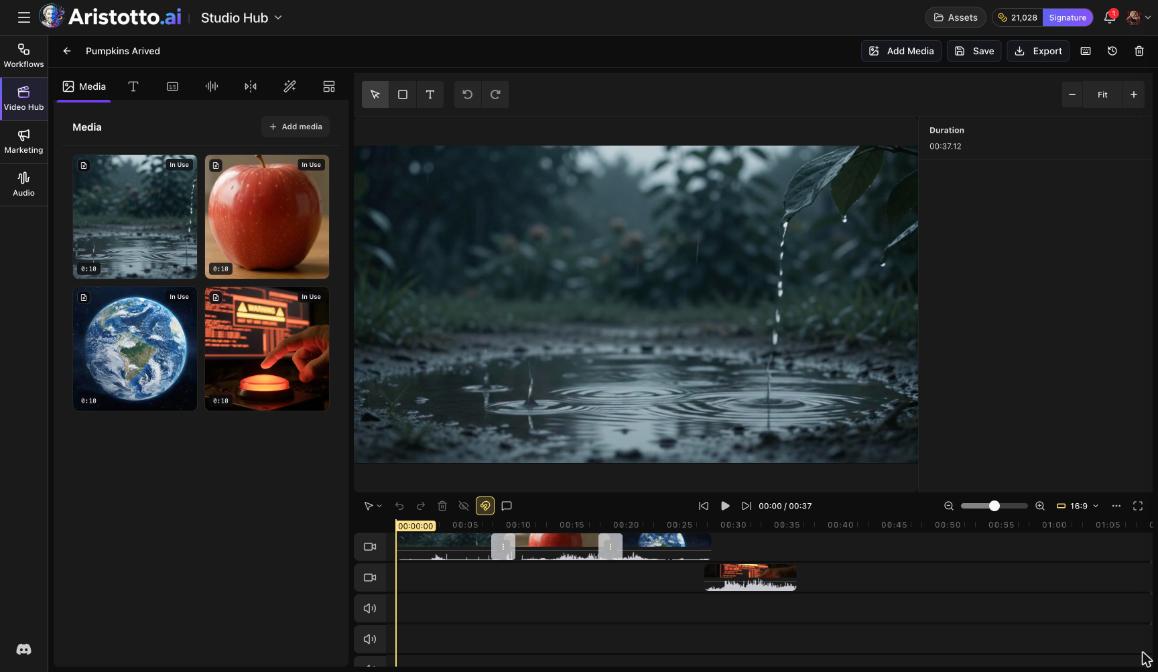
The Aristotto Video Editor is a timeline editor. You add clips, trim and arrange them, add text, captions, audio, transitions and effects, and export one finished video. Open Video Editor under Studio Hub in the left rail. Anyone signed in can build and edit. Export and Captions need a paid plan, and the lowest paid plan, Atelier, is $9 a month today.
How to start an edit
Open Video Editor under Studio Hub. The Video Studio list shows your earlier edits, with search.
Press New Project.
Press Add Media to bring in your clips.
Drag clips onto the timeline.
Press Save as you work.
The editor also has undo, redo, a history of your changes, Manage access and delete.
How to edit on the timeline
The timeline has video and audio tracks, with at least 2 video lanes and 3 audio lanes.
Drag clips to move them.
Trim clips to the length you need.
Arrange clips in the order you want.
Zoom the timeline in or out.
Set the aspect ratio, for example 16:9.
Switch to fullscreen to watch the result.
The side panels
The editor has seven panels: Media, Text, Captions, Audio, Transitions, Effects and Templates.
Captions and Effects work on a selected clip, so select a clip on the timeline first. Captions also need a paid plan.
How to add text
Open the Text panel.
Press Add Heading, Add Subheading or Add Body.
Pick a style preset: Story time, Subscribe, Breaking, Boom!, Minimal, Bold Title and more.
Use Animation to animate the text.
How to export
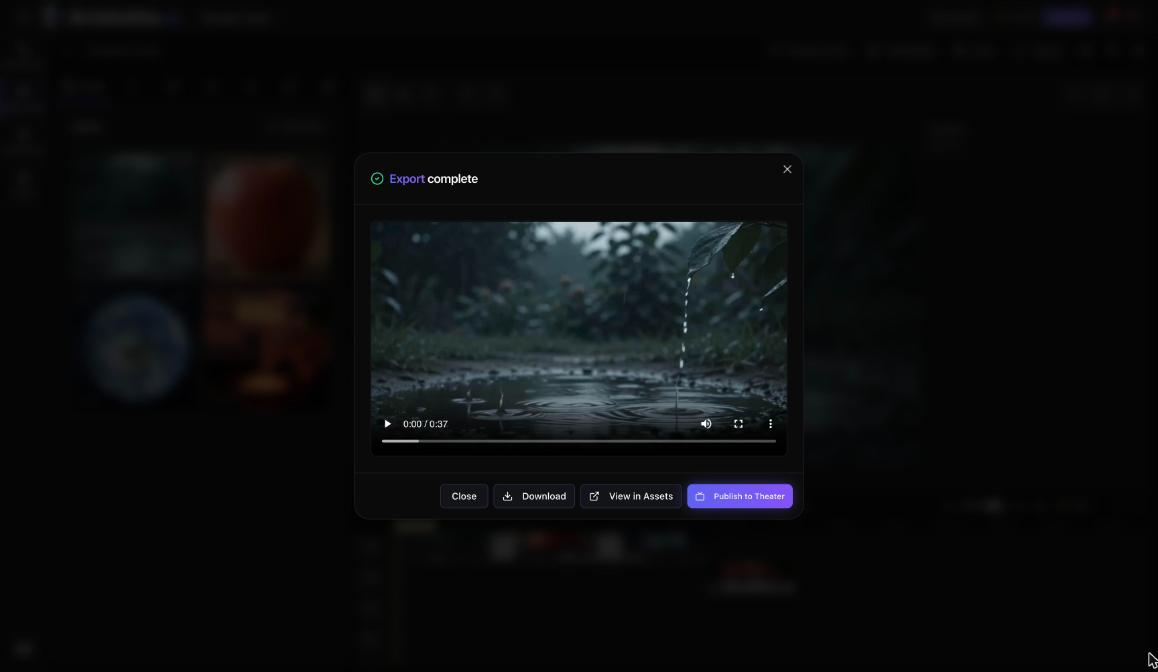
Press Export. The video renders in your browser.
When it finishes, Export complete appears with four choices.
| Choice | What it does |
|---|---|
| Close | Closes Export complete |
| Download | Saves the video to your device |
| View in Assets | Opens Studio Outputs in Assets |
| Publish to Theater | Opens Theater's Studio with the export as the first episode |
Theater is open by invite only today, and publishing a title there needs a Virtuoso plan or above.
What is free and what needs a paid plan
| Action | Base (free) | Paid plans |
|---|---|---|
| Build and edit | Yes | Yes |
| Captions | No | Yes |
| Export | No | Yes |
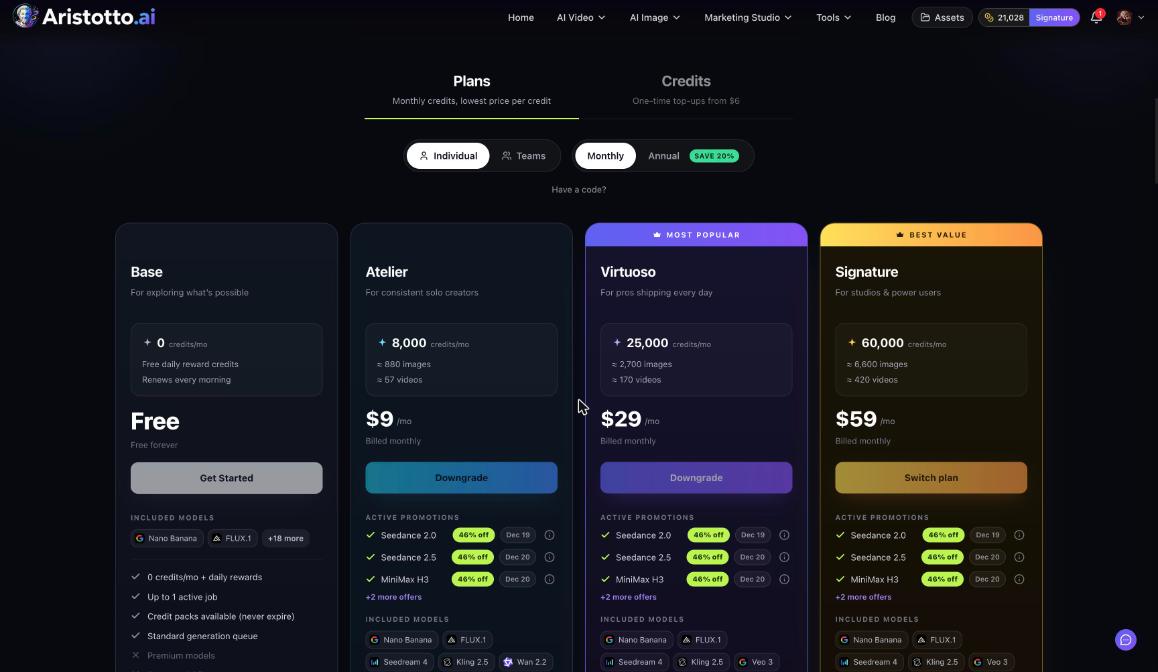
Paid plans today are Atelier at $9, Virtuoso at $29 and Signature at $59 a month. Annual billing saves 20%. Pricing in the account menu shows every plan.
Questions
Can I use the Video Editor on the free plan?
Yes, you can build and edit on Base. Export and Captions need a paid plan.
Where does my exported video go?
Export complete offers Download and View in Assets. View in Assets opens Studio Outputs.
Why can't I add captions or effects?
Captions and Effects need a selected clip, so select a clip on the timeline first. Captions also need a paid plan.
Can I undo a change?
Yes. The editor has undo and redo, plus a history of your changes.
Can I publish my edit to Theater?
Only if your account is invited to Theater. Publish to Theater opens Theater's Studio with your export as the first episode, and publishing needs a Virtuoso plan or above.