How to Manage Team Credits, Monthly Limits, Activity and Usage
 by Aristotto5 min
Everyone on an Aristotto team creates from one shared pool of credits. Owners and admins decide how much each person can use, buy extra credits when the plan credits run low, and see who spent what in the activity log and in team usage.
This article covers the Team credits card, the Credits tab, member limits, extra credits, the Activity tab and Team usage. All of them sit on your team's page under Settings, Teams.
Where do you see how many credits the team has left?
Open Settings, Teams and pick your team. The Team credits card on the team page shows:
what is left for the team this month
plan credits used of the total
extra credits
the reset date
the Team usage and Buy credits buttons
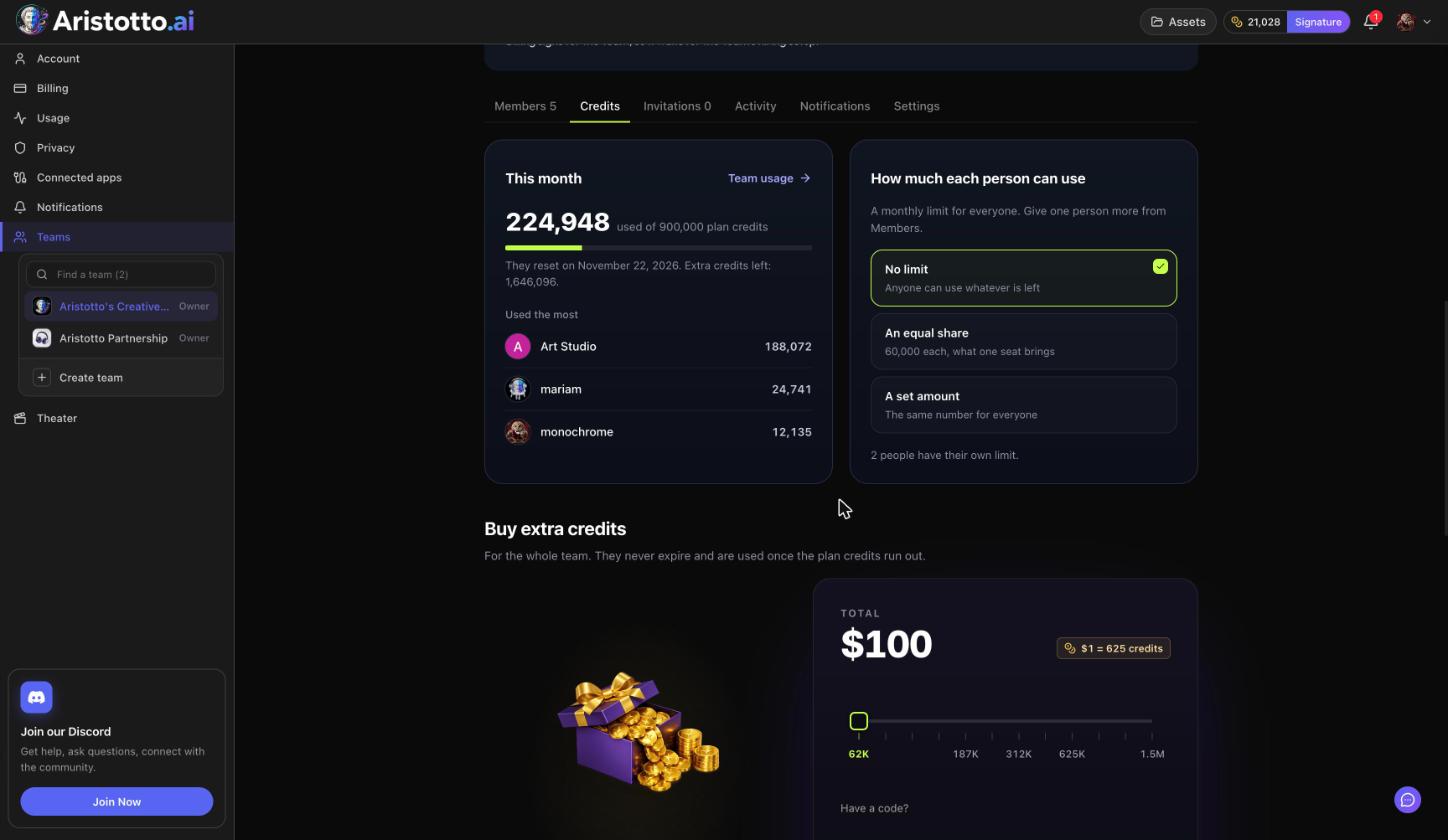
The Credits tab repeats this under This month (credits used of plan credits, the reset date and extra credits left) and adds Used the most. Members see their own limit.
Who can change credits and limits?
| Role | What they can do with team credits |
|---|---|
| Owner | Everything an Admin can, plus billing, seats and the plan |
| Admin | Buy credits, set limits, pause or resume members, see the activity log and team usage |
| Member | Create with the team's credits and see their own limit |
Only the owner can move someone between Admin and Member.
How do you set how much each person can use?
Open your team's page and go to the Credits tab.
Under How much each person can use, pick one:
No limit: anyone can use whatever is left.
An equal share: each person can use what one seat brings.
A set amount: the same number for everyone.
For someone who needs a different number, open the Members tab and give that person their own limit.
Every limit change is recorded in the activity log.
How do you buy extra credits for the team?
Owners and admins press Buy credits on the Team credits card, or use Buy extra credits on the Credits tab. Extra credits:
belong to the whole team, not to one person
never expire
are used once the plan credits run out
Plan credits start again on the reset date shown on the card. Each purchase appears in the activity log.
What does the activity log record?
Open the Activity tab. Only owners and admins see it. It lists invites, joins (including joins through SSO), role, status and limit changes, removals and leaves, ownership changes, seats, credit purchases, renewals, and agreement and SSO changes.
Each row has the columns Change, By, Credits and When. Type in Search changes to find one entry.
How do you read and export team usage?
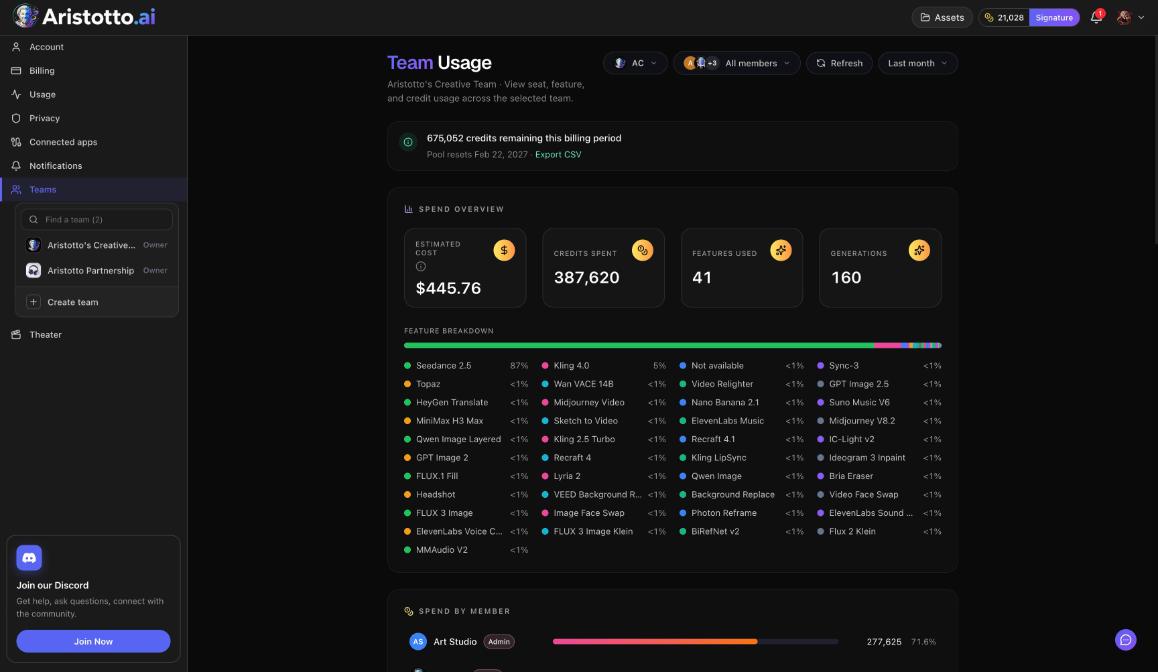
Press Team usage on the Team credits card, or the Team Usage button in Settings, Usage. Owners and admins see:
how many credits remain in this billing period, and the date the pool resets
a spend overview with estimated cost, credits spent, features used and the number of generations
a feature breakdown
Spend by member
Filter by member and by period, then press Export CSV for a copy you can open in a spreadsheet.
Example: How do you give a new teammate a smaller limit?
Your Team Virtuoso team uses An equal share, and a new member joins for one short brief.
Open Settings, Teams and pick the team.
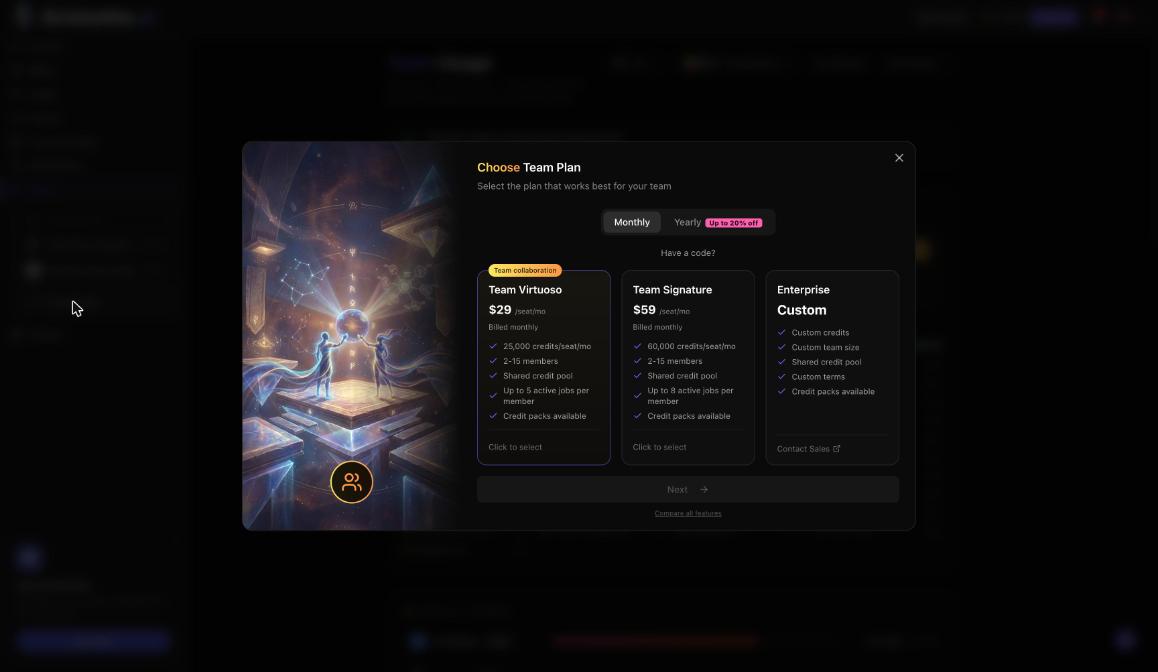
On the Credits tab, keep An equal share. Each person can use what one seat brings, which is 25,000 credits a month on Team Virtuoso.
Open the Members tab, search for the new member and give them their own, smaller limit.
Ask them to open the team page and press Work in this team, so they create in the team workspace.
Open the Activity tab. The limit change shows who made it and when.
At the end of the month, open Team usage, filter by that member and press Export CSV.
What should you check when a member cannot generate?
Team payment. If a team payment fails, nobody on the team can generate. The credits are kept. The owner can open Manage billing on the plan card.
Their limit. They may have used up their own limit. Raise it from the Members tab, or change the team setting on the Credits tab.
Credits left. If the plan credits are used and there are no extra credits, buy extra credits.
Paused. An admin may have paused them. Press Resume on the Members tab.
Workspace. They may be creating in Personal. The account menu shows Personal or the team name, and Switch changes it.
Access. If you cannot see Activity or Team usage, your role is Member. Ask an owner or admin.
Questions
Do credits we buy for the team run out at the end of the month?
No. They have no expiry date, and the team starts using them only when the month's plan credits are gone.
Can a member see what everyone else spent?
No. Team usage and the activity log are for owners and admins. A member sees their own limit.
Can different people have different limits?
Yes. Pick a team-wide setting on the Credits tab, then give one person their own limit from the Members tab.
What happens to our credits if a team payment fails?
Nobody on the team can generate while the payment has failed, but the team's credits are kept.
Are failed runs charged to the team?
If a run fails, times out or only partly works, its credits come back automatically. Each run also shows its price on the Generate button before you press it.