Aristotto Enterprise and SAML SSO: Setup, Domains and Company Login
 by Aristotto5 min
Aristotto Enterprise is for companies that want sign-in through their own identity provider, unlimited seats and contract credits that roll over. Our team connects your SAML SSO, and then everyone with your email domain signs in with company login.
This article covers what Enterprise adds, how buying works, SSO setup, the domain check, company login and what to check when sign-in fails. Start at aristotto.ai/enterprise.
What does Enterprise add to a team plan?
Enterprise has everything in Team Signature, plus:
unlimited members and higher parallel limits
SAML SSO, required for your domain
a no-training clause in your agreement
volume-based discounts
dedicated Slack support, with a success manager in a shared Slack channel
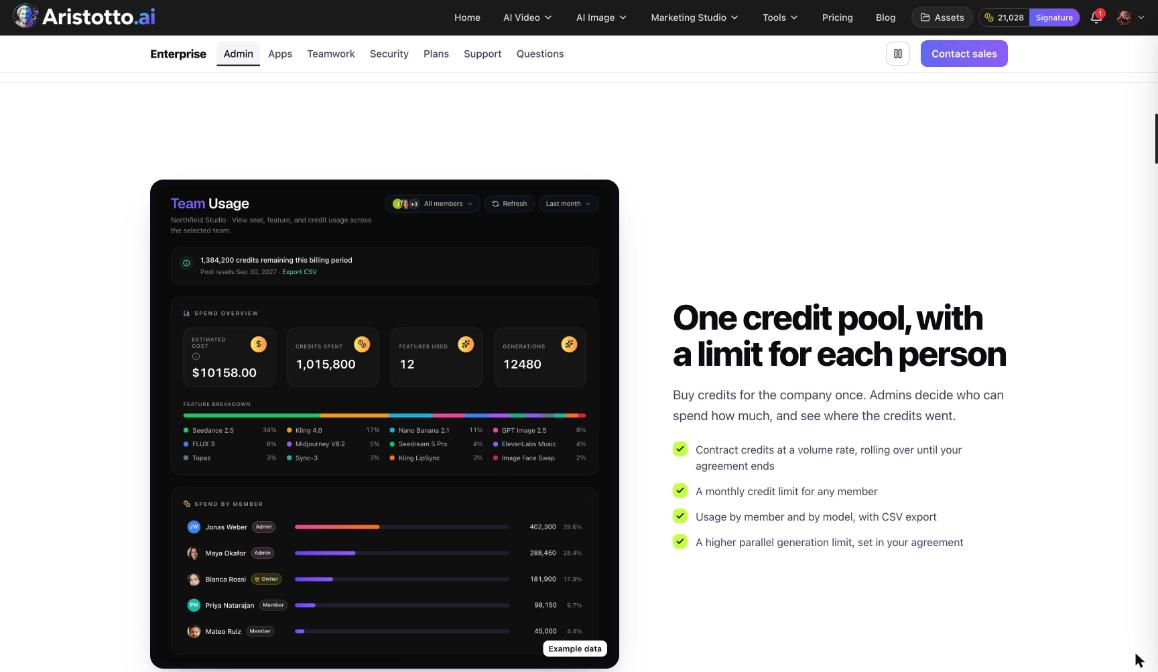
For admins there is one credit pool with a limit for each person, a monthly credit limit for any member, and usage by member and by model with CSV export. Where a setting comes from your contract, the team page shows Set by your Enterprise agreement. Our team sets the agreement up: dates, contract credits, and parallel and queue limits.
How do you buy Enterprise?
Open aristotto.ai/enterprise and go to Talk to our sales team.
Fill in your first and last name, work email, company, company size, your role (optional), what you need and what your team will make.
Press Send to sales. A person from sales replies within one business day, and you talk on a call.
Test Aristotto on real briefs using trial credits.
Sign and go live: we connect SSO, load credits and invite your admins.
You can also email sales@aristotto.com.
How is SAML SSO set up?
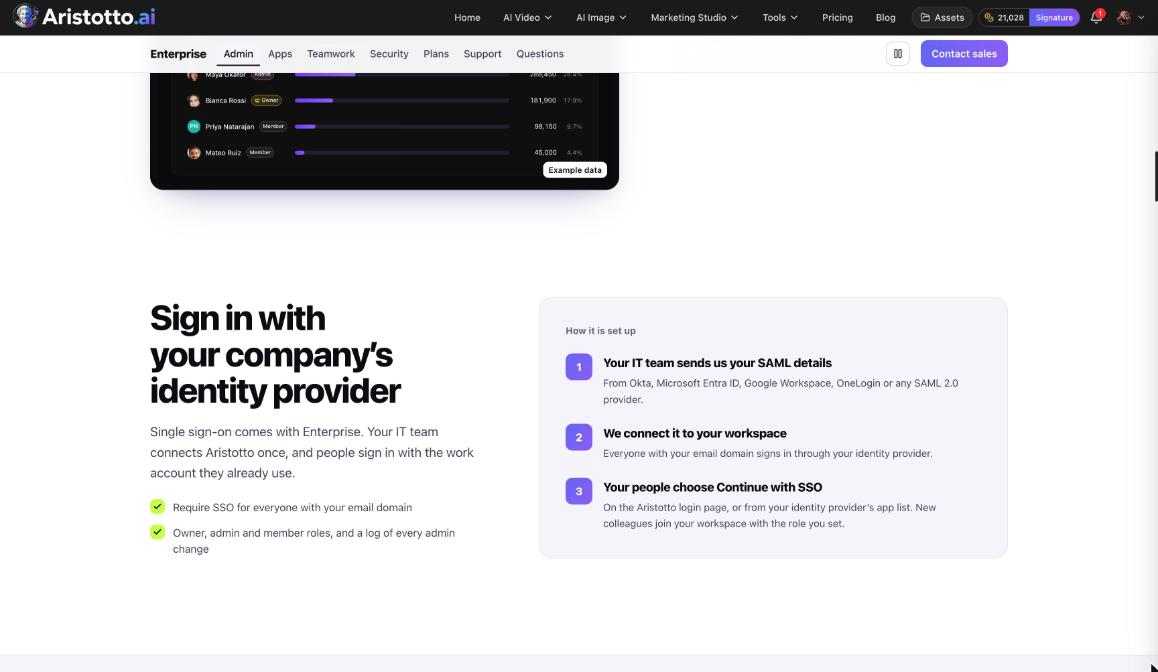
Your IT team sends us your SAML details. Okta, Microsoft Entra ID, Google Workspace, OneLogin and any SAML 2.0 provider work.
We connect it to your workspace.
Everyone with your email domain signs in through your identity provider. SSO can be required for everyone on that domain.
New colleagues join with the role you set, member or admin.
Owner, admin and member roles apply as on any team, and the activity log keeps every admin change, including joins through SSO and SSO changes.
How does the domain check work?
Your domain is proved with a DNS TXT record at _aristotto-verification.<your domain>. A check runs every day and emails your owners and admins about the result.
| If the record is | Then |
|---|---|
| Not found on two checks in a row | New company logins are paused |
| Not found for 30 days | Company login stops working |
What happens when someone signs in with company login?
A first company sign-in opens the existing Aristotto account that has the same email. It does not create a second account.
The person is added to the team with the default role.
If your company requires SSO, signing in with a password, Google, Discord or Microsoft is refused, and Use your company login shows instead. The person types their work email there.
Starting from the app list in your identity provider works too.
Example: How does a new designer sign in on day one?
Your company requires SSO, and a designer already has an Aristotto account under their work email.
The designer opens the Aristotto login page and types their password.
The sign-in is refused and Use your company login appears.
They enter their work email and sign in through your identity provider.
Aristotto opens their existing account. Nothing is duplicated.
They are added to the team with the default role you set.
An owner or admin sees the join in the Activity tab.
What should you check when company login does not work?
Password refused. Your company requires SSO. Use your company login and enter the work email.
New company logins paused. The DNS TXT record was missing on two checks in a row. Ask IT to restore it.
Company login stopped. The record has been missing for 30 days. Ask IT to restore it and talk to your success manager.
A limit looks wrong. If the team page shows Set by your Enterprise agreement, the number comes from your agreement. Ask our team to change it.
Signed out after an SSO change. If SSO is removed, sessions opened through company login end. Sign in again by email.
What happens if SSO is removed?
Sessions opened through company login end. Accounts that company login created become regular accounts that sign in by email.
Questions
Is our team's work used to train AI models?
No. We do not train AI models on your prompts, uploads or results, and your agreement has a no-training clause.
How long does deleting our data take?
37 days from your request to deleted, backups included. That covers a private safety copy held for 30 days, then backups that age out within the following 7 days.
Can we still export our data after the agreement ends?
Yes, for 90 days, unless you ask us to delete it sooner.
Which data protection terms are covered?
You get a data processing agreement for GDPR, UK GDPR and CCPA, including EU standard contractual clauses. Every subprocessor and every AI provider is listed, and breach notice comes within 72 hours.
Can a small team skip sales?
Yes. Teams of 2 to 15 people can start a team plan online from Settings, Teams.